TL;DR: DocSearch MCP is a free, remote Model Context Protocol (MCP) server from Algolia that lets AI coding assistants such as Cursor, Claude Code, and VS Code search current public developer documentation and answer with cited sources. It requires no signup, no API key, and no authentication: point any MCP-compatible client at https://mcp.algolia.com/1/docsearch/mcp. Available now in public beta.
Your coding assistant is confident. That confidence can be misleading.
Ask it how to configure middleware in the current version of your framework, or how to verify a webhook signature, and it will answer in a heartbeat. Sometimes the answer is right. Sometimes it is quietly a year out of date, references an API that was renamed two releases ago, or invents a parameter that never existed. You do not find out until the code fails, and by then you have spent real time and real tokens chasing a plausible-sounding mistake.
Today we are opening the public beta of DocSearch MCP: a way to give any MCP-compatible AI client answers grounded in current, public developer documentation, with the sources to back them up. It is free to use during the beta, and there is no signup and no API key required.
Your agent doesn't know the docs have changed
For over a decade, DocSearch has powered the search box on thousands of developer documentation sites, and it still does. But there's a new class of developers and builders that may never even visit your docs. More and more, a developer's first question is typed into Cursor, Claude Code, or another coding assistant inside the editor, right next to the code. That surface deserves the same trusted retrieval developers already expect from a DocSearch-powered search box.
Coding assistants are excellent at reasoning and terrible at knowing what changed last week. They answer from training data that has a cutoff, and they rarely tell you which specific source, if any, an answer came from. The same trusted retrieval that sits behind a docs site needs to sit behind the agent too.
That is what DocSearch MCP is.
The solution: a documentation retrieval layer built for agents
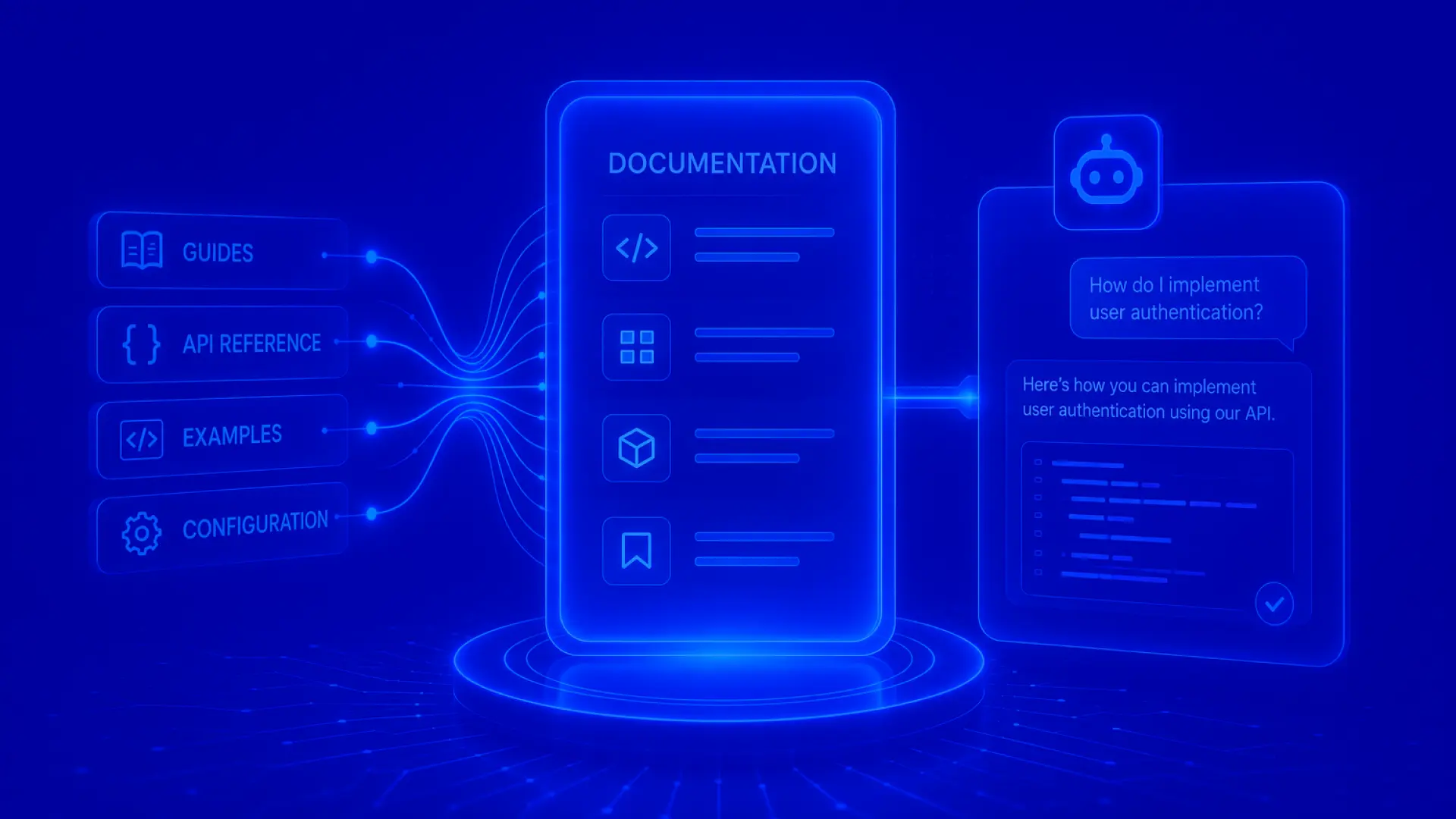
DocSearch MCP is a remote MCP server. You point an MCP-compatible client at a single endpoint, and the client can search across a library of public developer documentation to find answers to your questions.
https://mcp.algolia.com/1/docsearch/mcp
No authentication. No Algolia application ID, search key, or DocSearch account needed to use the public endpoint.
What you get back is different from a raw model guess:
Grounded answers. Responses are built from defined documentation sources, not just what the model happened to memorize.
Sources you can check. Answers can point back to the exact documentation used, so you can verify before you trust.
Current content. The corpus refreshes regularly, so you're querying docs as they ship, not a stale training snapshot.
One answer across many docs. When a question spans more than one product, the client can pull from several documentation sets and synthesize a single, coherent answer.
Get started
Setup is one command:
npx @docsearch/cli setup
Run it bare and it opens an interactive picker in your terminal so you can choose your agent. Or pass a flag directly:
--cursor for Cursor
--claude for Claude Code
--codex for Codex
--opencode for OpenCode
--gemini for Gemini CLI
On something else, ChatGPT, VS Code, Windsurf, Zed, or another MCP-compatible client? Wire it in by hand by pointing it at the remote endpoint above; full config for each client is in the docs.
Once it's installed, restart your agent and ask it a docs question, for example:
Use DocSearch MCP to find the current Next.js middleware matcher docs.
The client should call the DocSearch tools and answer from the matching documentation, with source links. You can watch the tool calls happen in the client's trace.
How it works under the hood
DocSearch MCP exposes three tools. Most questions only need the first one.
algolia_docsearch_search_docs is the one-shot default. Give it a library (the product, SDK, or platform) and a query (your question). It resolves the best matching documentation set and returns ranked content in a single call. If the product is ambiguous, it returns candidates to choose from.
algolia_docsearch_resolve_docset is step one of the manual flow. It finds the documentation sets that best match a product and returns candidates, each with a docset_id.
algolia_docsearch_query_docs is step two. It retrieves content for one or more docset_ids. Pass several at once when a question spans multiple products.
The one-shot tool covers the common case. The two-step flow is there for multi-product questions or when you want to hand-pick which documentation sets to search.
Built to respect the docs it reads
DocSearch MCP is a research and retrieval tool. It helps assistants find and cite public developer documentation. It is built to treat that documentation responsibly:
It indexes public developer documentation only, and provides attribution back to the original source.
It respectsrobots.txt and site directives. If a site asks not to be crawled, it is not crawled.
Collected documentation is not used to train models.
Documentation owners have a clear opt-out. On opt-out, a documentation set stops being searchable through both the MCP and the DocSearch website.
If you own a docs site and want to opt out, or have questions about how your documentation is handled, reach out through the DocSearch program and we will take care of it.
DocSearch MCP is built on Algolia indices and publicly hosted MCPs, so if you're a documentation owner, you can just as easily turn your own docs index into an MCP.
What's coming next
The core retrieval is live in public beta right now, free and open. Official one-click plugins for Anthropic, Cursor, and OpenAI clients are next, so install won't require the terminal.
Your feedback during the beta directly shapes what we build next!
Try it today
DocSearch MCP is available now in public beta. It is free, it needs no signup, and your feedback shapes where it goes next: tell us what worked well, what you would improve, and which docs you would like it to cover.
Algolia DocSearch MCP is a free service and is provided by Algolia "AS IS" and "AS AVAILABLE" without warranty of any kind, and may be suspended, modified, or discontinued by Algolia at any time in its sole discretion. Algolia disclaims all obligation and liability arising out of or in connection with Your use of DocSearch MCP. You shall comply with all laws and governmental regulations in Your use of the DocSearch MCP.
DocSearch MCP is currently in beta. Features and behavior may change before general availability.
Please also note that we've updated our DocSearch Plan Terms and Conditions for DocSearch MCP and you can review the updated terms here.
Gartner 2026 Magic Quadrant for Search and Product Discovery
A leader for the third consecutive year
Algolia is recognized as a Leader in the 2026 Gartner® Magic Quadrant™ for Search and Product Discovery as the market shifts toward AI-powered, agentic discovery.
Increased Operating Profit and Improved Efficiency
A Forrester Consulting study found Algolia delivered $3.1M NPV over three years, helping commerce teams improve relevance, automate merchandising, and grow revenue
IDC recognized Algolia as a leader in general-purpose knowledge discovery software, citing the growing role of search in AI-powered workflows and enterprise knowledge experiences
Algolia earned 12 medals across 12 categories in Paradigm B2B’s 2025 Enterprise Combine for Search and Discovery, with customers praising speed, transparency, analytics, and ease of use













.jpg)


%20(2).svg)