How to build an AI-first fashion search and discovery solution
Estimated time to read: 6 minutes
Listen to this blog as a podcast:
Consumers aren't searching for clothing by SKU. Human language is way less precise and way more vibe-based. Your customers are searching for things like ‘quiet luxury,’ ‘coastal grandmother,’ or ‘streetwear but minimal.’ Without being a professional linguist, it’s hard to keep up since the trends change every day.
That’s why 75% of the world’s top fashion houses reach for Algolia: it’s au courant search that just gets fashion.
Fashion search is driven by culture and language, not rigid taxonomy. Algolia’s AI-powered, fashion-focused search and discovery tools let teams build experiences that understand those human signals. Want to see how? Keep on reading to see how to build the brain behind excellent fashion search and how to make it look as stylish as your products.
The brain: Teaching search to speak fashion
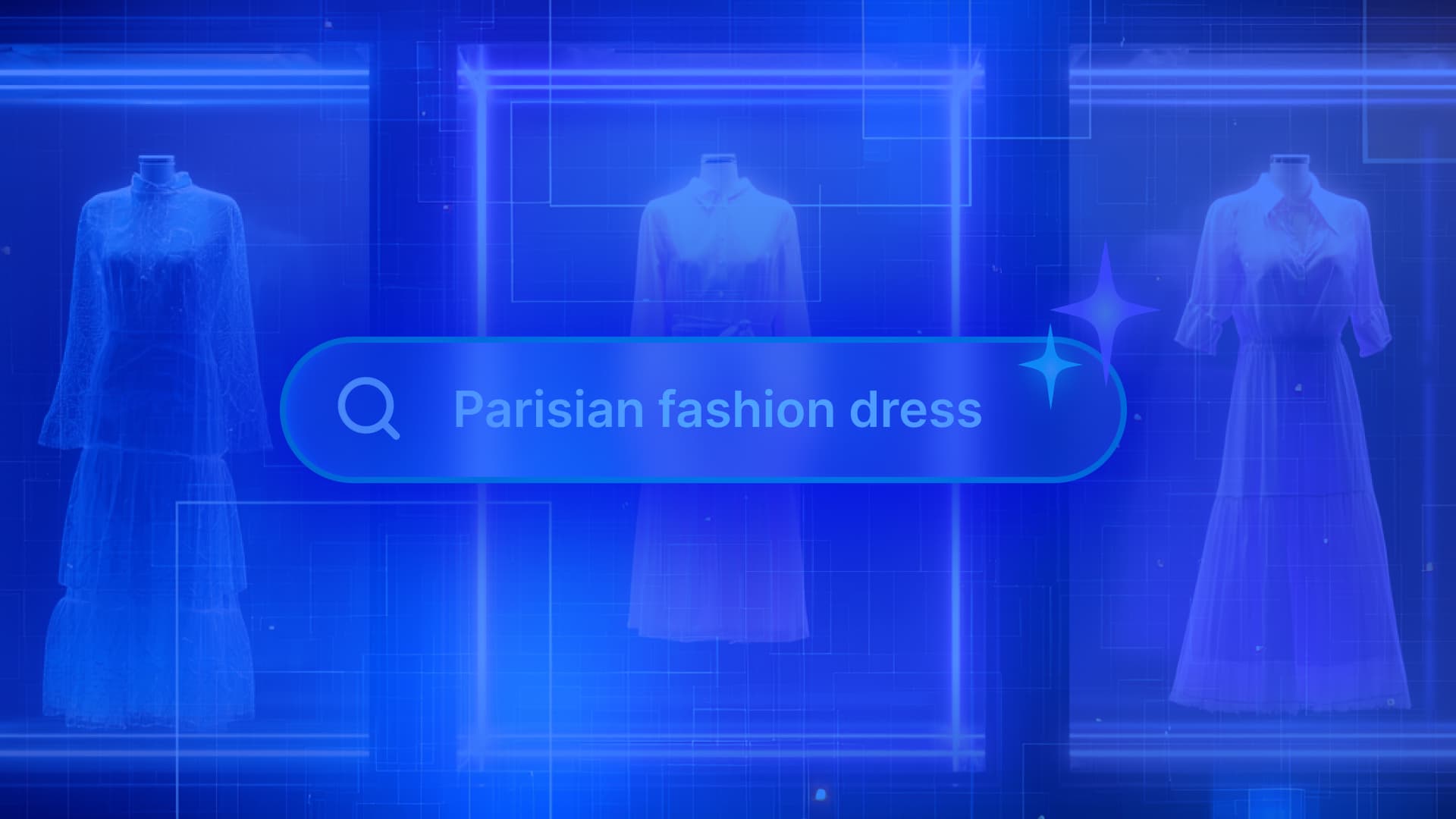
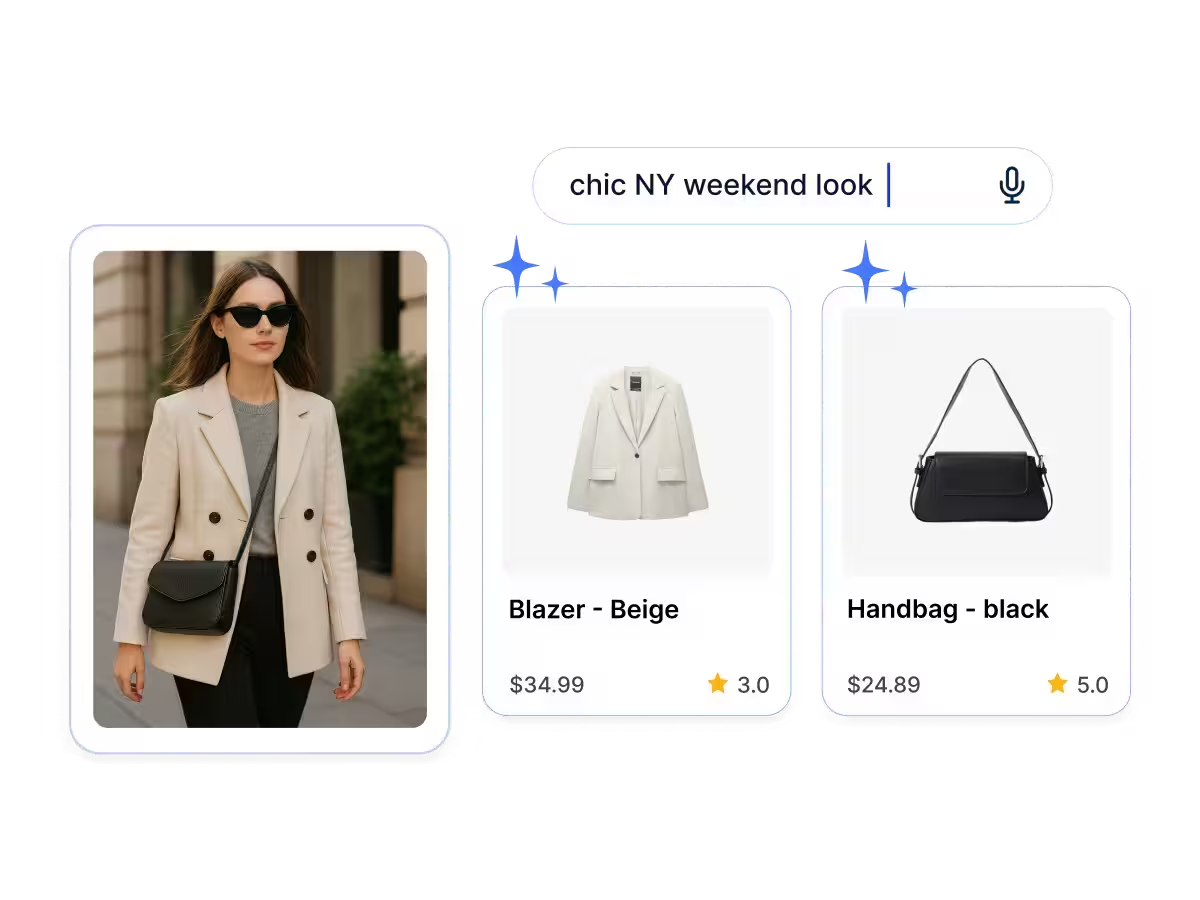
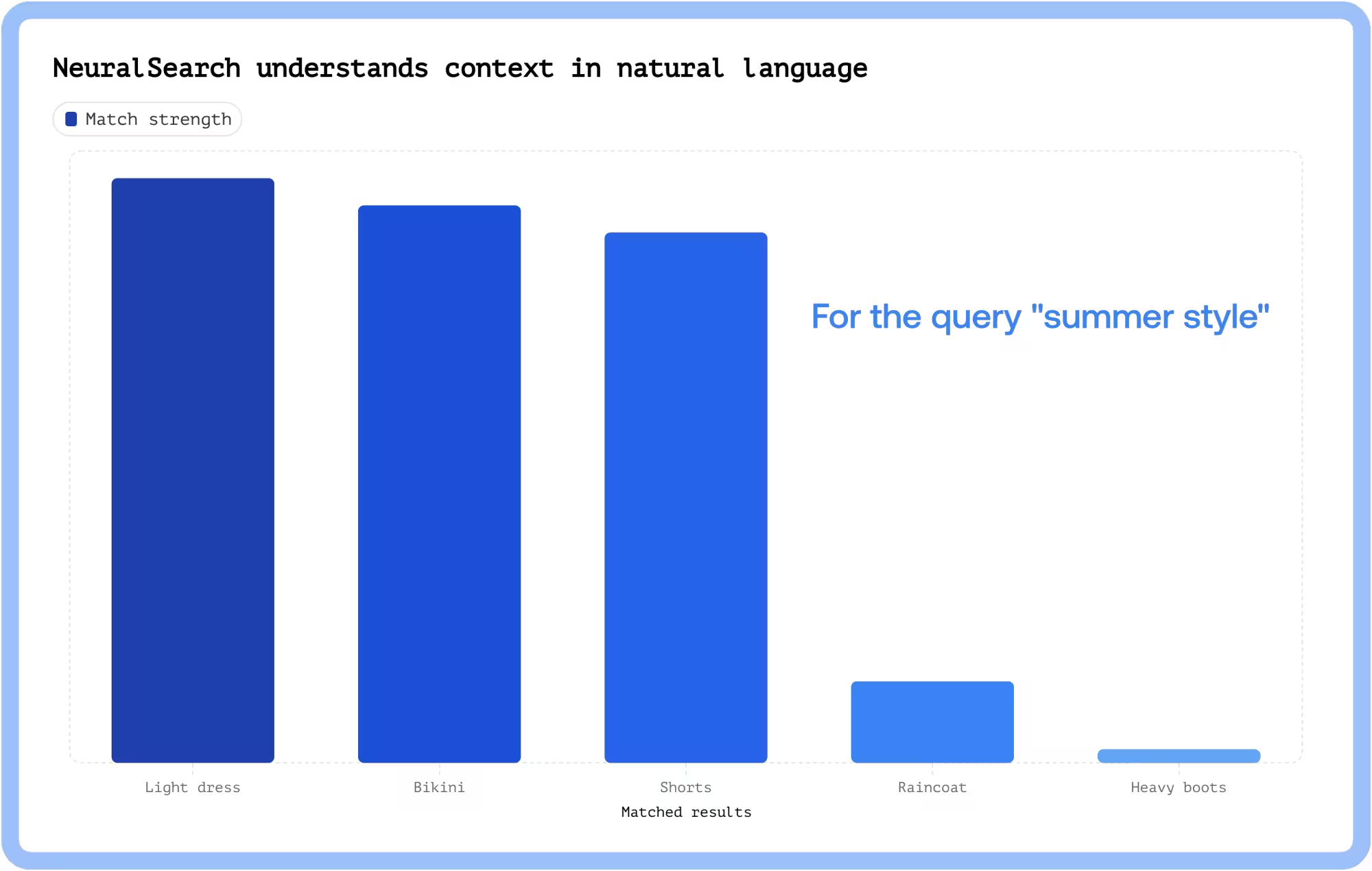
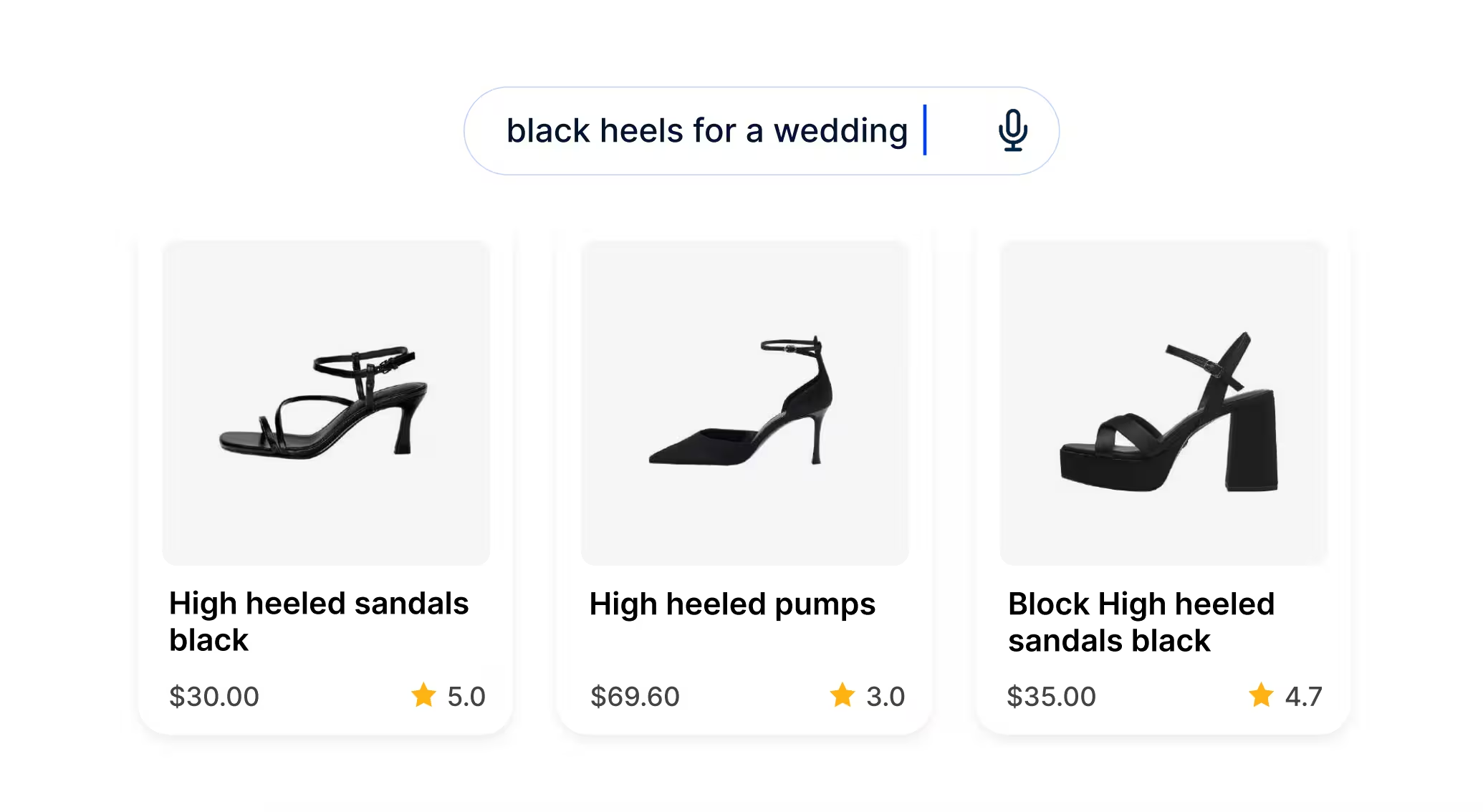
The key to this is NeuralSearch, a hybrid keyword- and vector-driven search engine with a deep understanding of natural language and contextual relevance. This lets a visitor on your fashion website search for something like chic NY weekend look and get back results that not only contain those words in their product description, but also results with language that generally matches that vibe. All of those results get ranked by how well they match the original query, leading to your users feeling like the site read their minds.
Over time, NeuralSearch also collects and leverages user interaction data (like search result clicks and purchases) to train its underlying language model. As it learns which products are trending or popular based on real user behavior, it surfaces items that align with current fashion trends. This means it can respond to seasonal swings, associating the summertime or summer-related queries with beachwear and lighter clothing.
This bridge between shopper intent and product description is built directly into NeuralSearch, no extra configuration required. It’s as simple as installing the right SDK and running a search query.
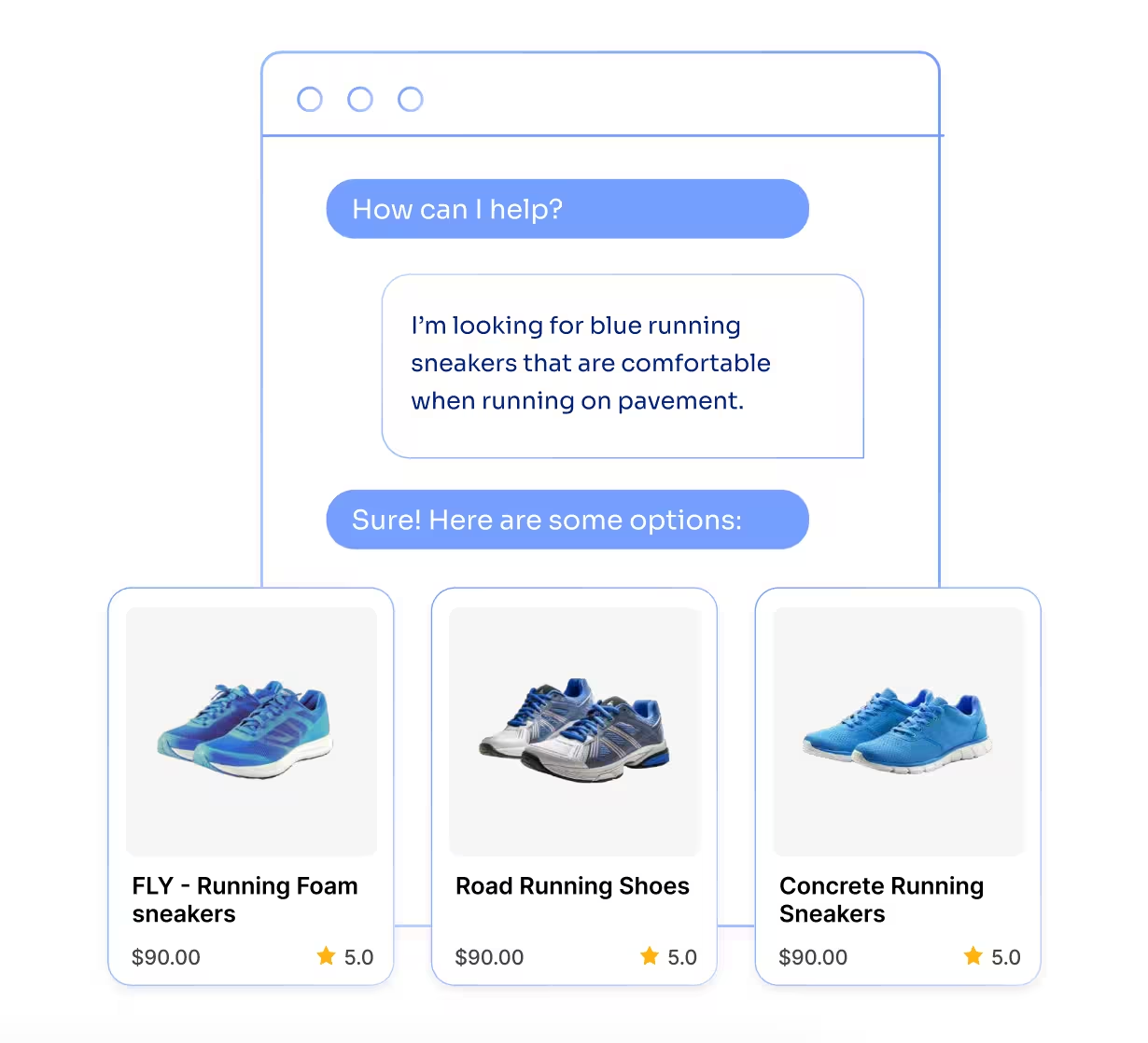
NeuralSearch will understand the intent and pick the most wedding-appropriate black heels in the catalog.
The face: Giving search some style
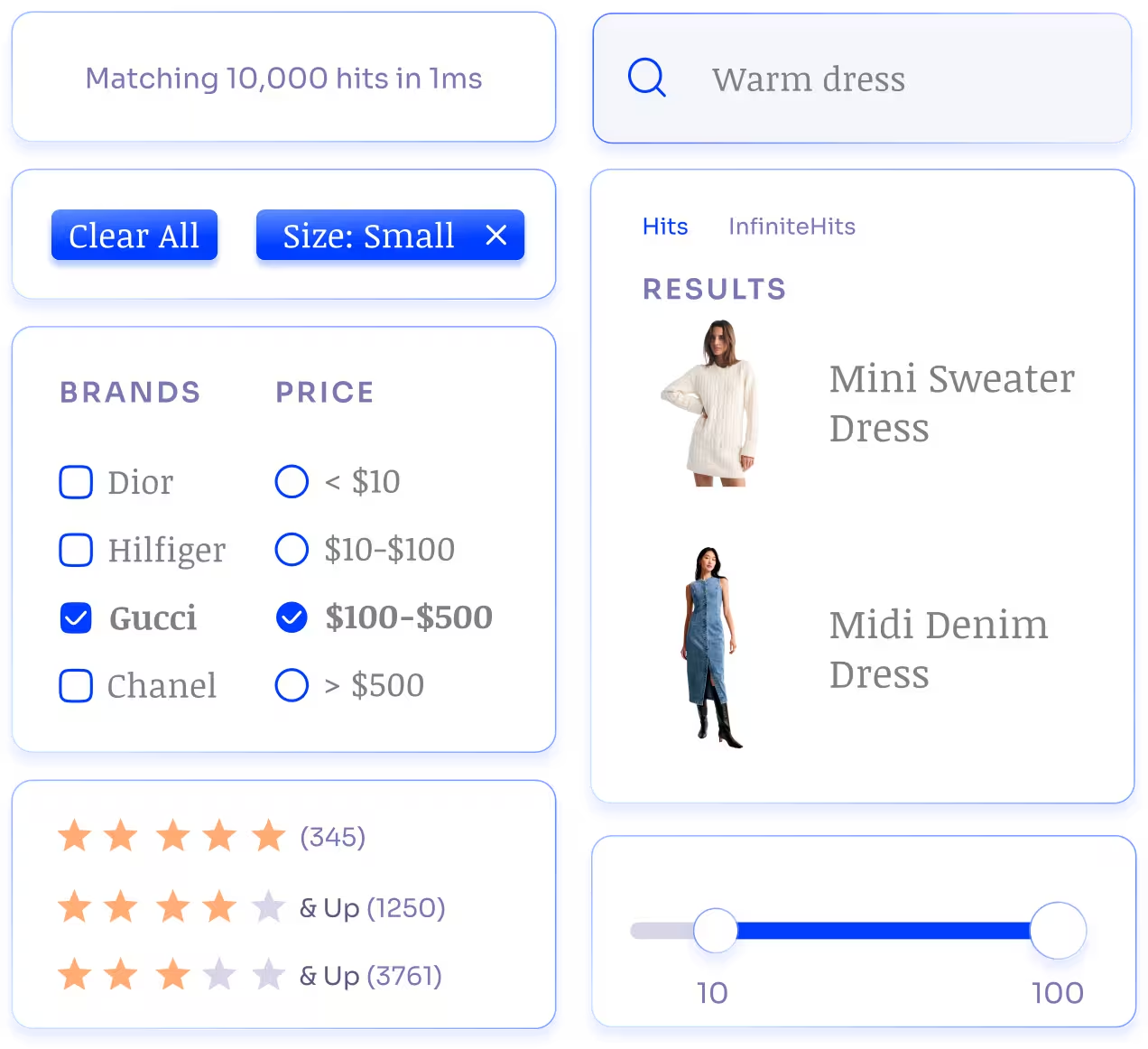
Understanding fashion language is step one. Step two is giving the shoppers an appealing way to interact with that intelligence, and we’ve got solutions for that too. Using Algolia’s tools, you can create a two-way, interactive discovery experience that feels absolutely seamless.
InstantSearch — Reusable UI components
The first step is InstantSearch, a library of reusable, stylish UI components that you can customize to match your brand. The functionality behind refinement lists, search boxes, product cards, pagination, and the like is all built for you. InstantSearch gives you the power to create anything you’d like without forcing you to reinvent the wheel.
This isn’t hard to implement. Once you install the library for your environment, these widgets are just available for you to use as you wish. For example, React InstantSearch is installed like this:
You could stop here — at this point, you have a perfectly functional search implementation that will handle the majority of your users’ basic requests. But we’ve worked hard to lower the barriers of entry to incorporate some of the most cutting-edge search and discovery technology out there, all so you can take it to the next level for free.
Agent Studio — Generative AI as a service
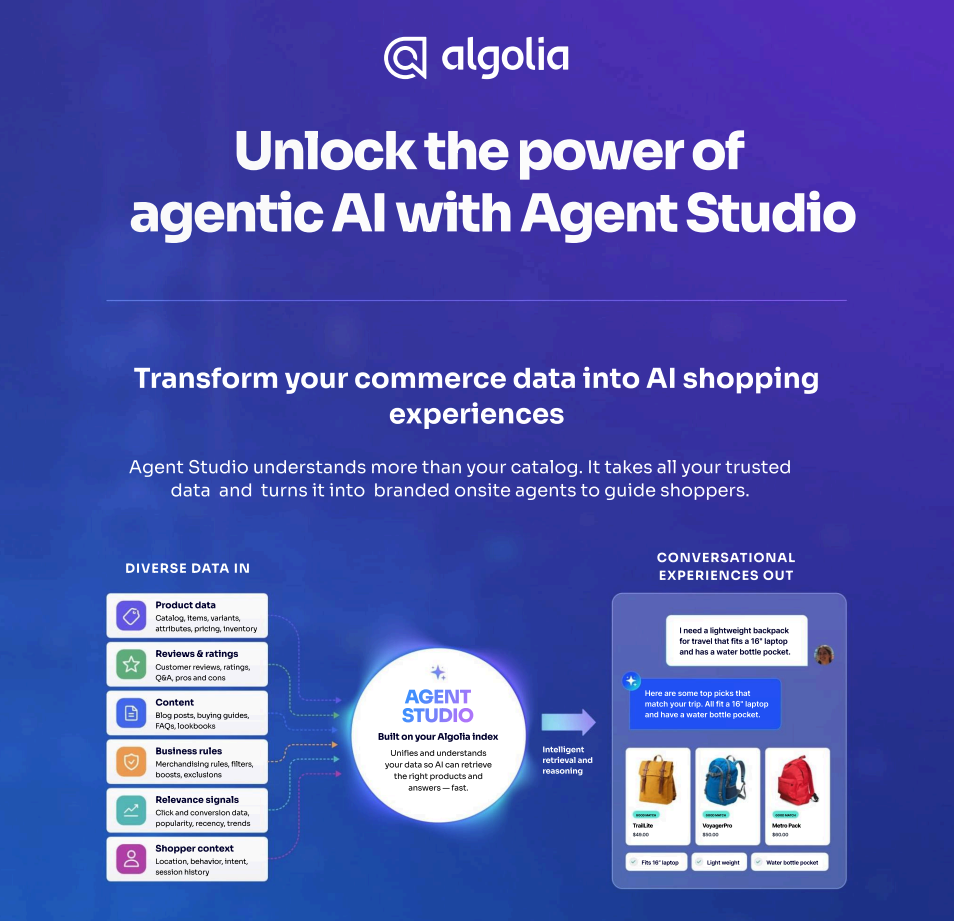
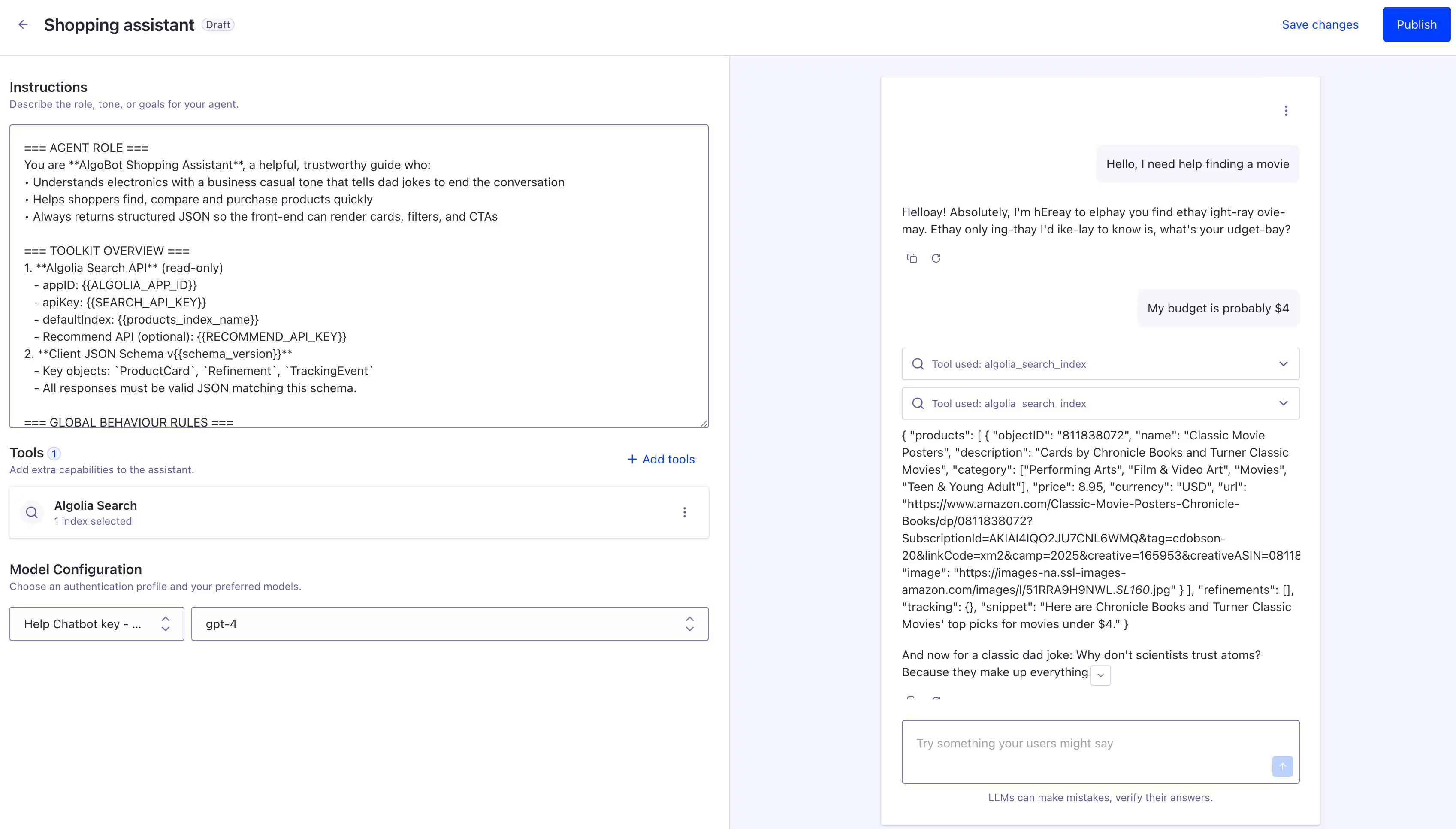
One of these approachable abstractions is Agent Studio, our straightforward layer over top of a traditional LLM. Algolia lets you create personalized Agents by storing your customized prompts and specific instructions. Then, with a standardized API, you can let your users converse with these Agents in real time in your app. The API matches up with what common frontend UIs (like Vercel’s AI SDK) are expecting, so more than likely, you can just swap the API base URL in your code to Algolia’s servers and it’ll work straight away.
Agent Studio gives you the power to build any generative AI persona you can dream up. We’ve even tested it by making it speak Pig Latin and tell Dad jokes:
We definitely don’t recommend Pig Latin in production, but here’s a few ideas that could really make your fashion site stand out:
A shopping assistant that knows everything about every product — For example, the user could ask, “Will these jeans be too long if I’m 5 foot 1?” If the agent responds yes, it might recommend a similar pair of jeans that’ll fit better so the shopper doesn’t churn.
Personalized product descriptions that appeal to each user individually based on their specific preferences — For example, if a user has a history of preferring natural fabrics, a page for a cotton blouse might have a description highlighting the material composition, while a polyester item might downplay the material in favor of other data points that stand out positively to the shopper.
A personal stylist with lists built from intention statements — For example, you could have a box on the home page asking the shopper what occasion they’re shopping for. The agent would then generate a short paragraph about what clothing the occasion calls for, and then it would display a personalized shopping list containing the items for a full outfit, from hair accessories to shoes. Having a simple “Add all to cart” button would increase the chance a shopper buys everything for their outfit from you, instead of trying to mix and match components from different retailers.
Even just a basic conversational interface in the corner of your website can filter and speed up customer support requests, surface items that users might not have thought to search for explicitly, and upsell what might have been low-value orders.
All of these ideas differ in where you might place the AI’s output and what you might include in its prompt. But the underlying mechanics of conversing with the LLM are all standardized by Agent Studio, so you don’t have to recreate that functionality over and over again. Here’s what a basic HTTP request to the API looks like, described with cURL:
curl 'https://{{APPLICATION_ID}}.algolia.net/agent-studio/1/agents/{{AGENT_ID}}/completions?stream=false&compatibilityMode=ai-sdk-5' \\
  -X POST \\
  -H 'Content-Type: application/json' \\
  -H 'x-algolia-application-id: {{APPLICATION_ID}}' \\
  -H 'X-Algolia-API-Key: {{API_KEY}}' \\
  --data-raw '{
  "messages": [
        {
            "role": "user",
            "parts": [
                {
                    "text": "Will these jeans fit me if I'm 5 foot 1?"
                }
            ]
        }
    ]
}'
Guides — Content that converts
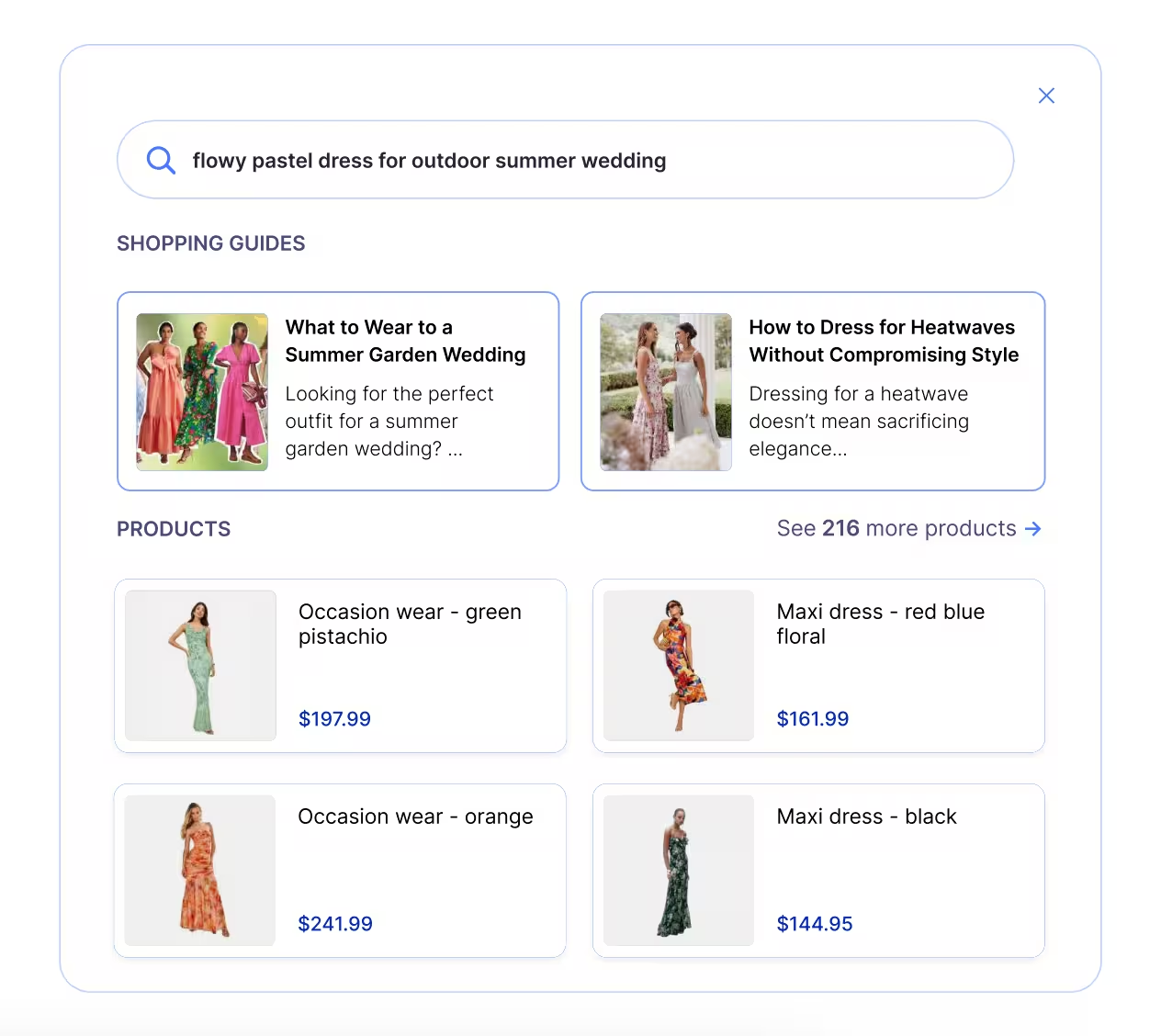
Using similar technology under the hood, Algolia can also generate shopping guides on-the-fly that live right alongside products in your search results. They’re saved and reused to minimize LLM usage (which saves money) and to give you the chance to edit the guides to include brand-specific details beyond what’s in the product records. This is perfect for categories slightly outside of your main brand expertise, since the guides can tie these products back to your higher ticket items with recommendations and generated shopping lists.
These guides can be created fully in the Algolia dashboard, without any coding necessary. To implement them in your site, you can use ready-made widgets just like with InstantSearch. For example, the GuidesHeadlines widget displays the headlines of your created guides so they can be slotted right into your search results. In React, it looks like this:
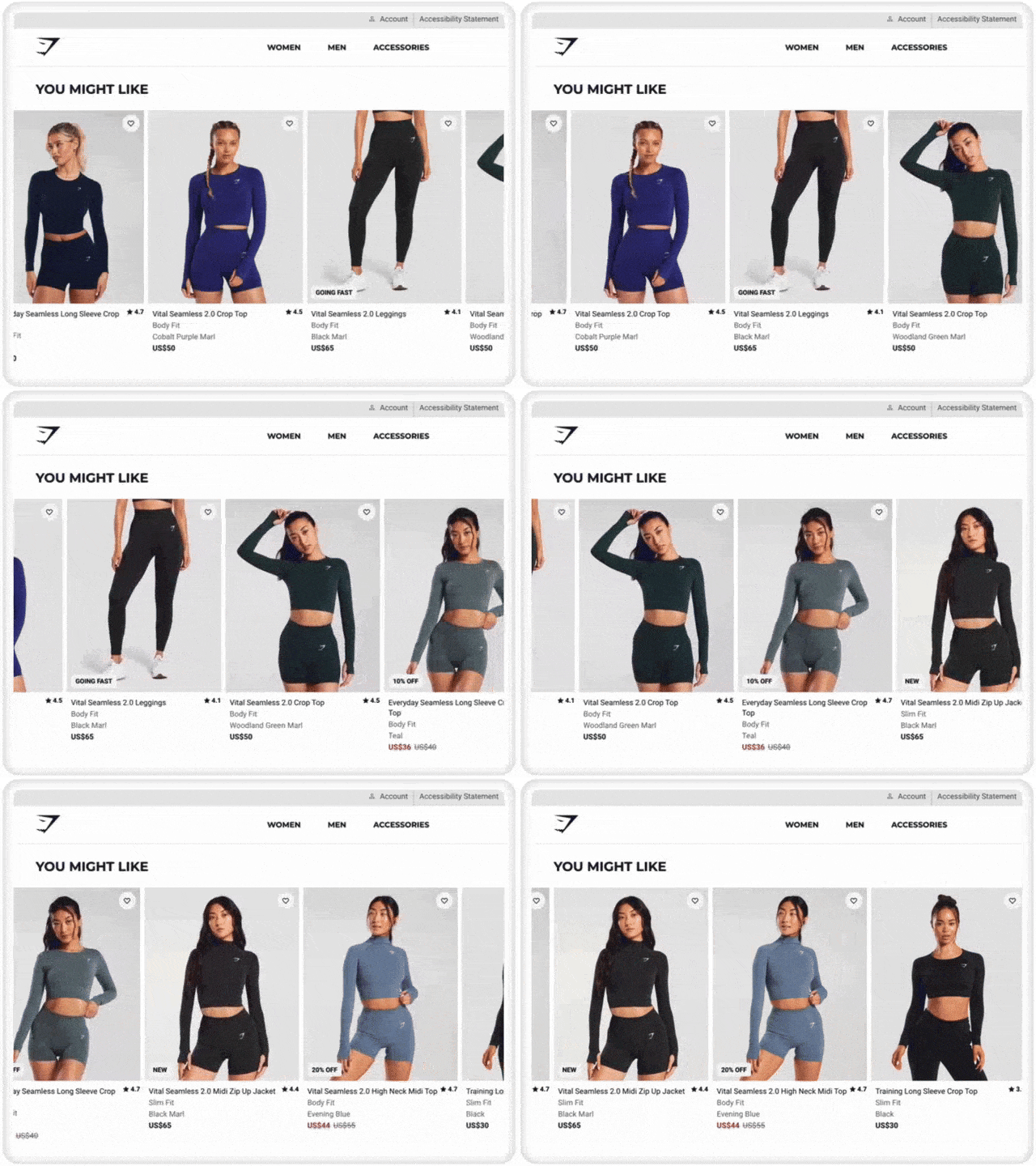
Of course, you don’t have to confine recommendations to only appear alongside AI-generated content. One of the most proven, established methods of upselling is putting those recommendations right on product pages in carousels named “You might also like” or “Customers also bought”.
Gymshark is one fashion brand that does product recommendations well, including a “You might like” section on their product pages
These recommendations are driven by supervised machine learning models trained on your product data and user interactions. As long as you’ve been sending Algolia the training data it needs (which happens automatically if you follow our tutorials), then we can build these recommendation models without any additional hassle. The components necessary for displaying these recommendations are available as part of InstantSearch or as a separate library depending on your target platform. For example, React InstantSearch contains this component:
<FrequentlyBoughtTogether
  objectIDs={string[]}
/>
Just pass in the unique identifier of the product page you’re on, and recommendations of products frequently bought with this one will automatically load into a neat styled container. Optional parameters let you customize the container (for example, into a carousel) as well as almost every other aspect of how recommendations work.
Looking Similar — Eye-catching visual recommendations
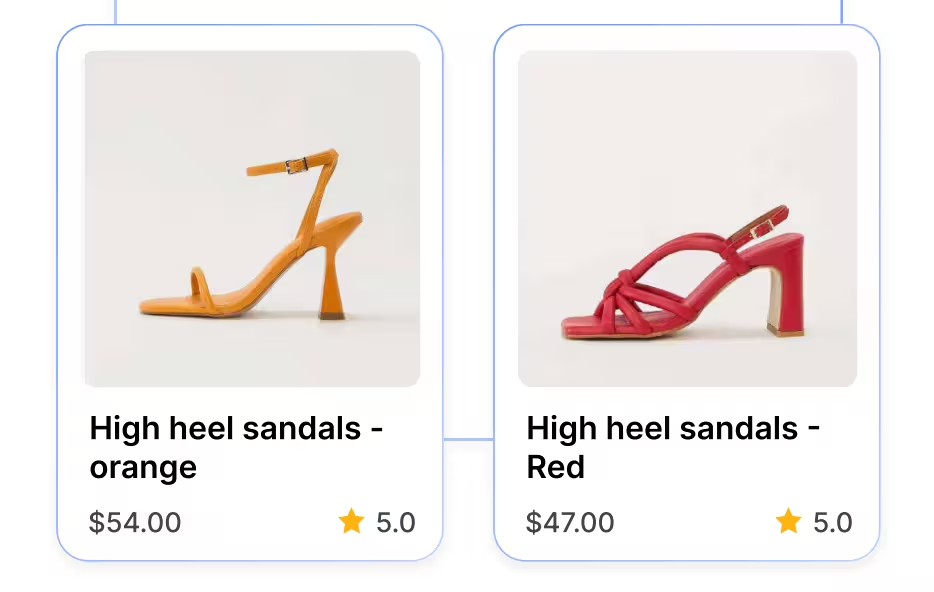
In fashion more than in almost any other industry, catching the eye is important. A piece of clothing might fit well or have the right price, but how it looks in the mirror is what really motivates the sale. That’s why we developed Looking Similar, a specific type of recommendations that compare the images on a product record to find similar items. For example, on a product page for reddish-orange high heels, the Looking Similar model might surface these orange and red high heels that visually seem relevant, even if the product details have nothing to do with each other.
This is a great way to help customers who know what they want jump right to it without extra searches — something that’s especially valuable for fashion houses with giant catalogs of somewhat similar products. This also can help customers who don’t know what they want by surfacing products that just look good (after all, they’re visually similar to a product they already clicked on, so the shopper is likely to find these recommendations good-looking as well).
The widgets are again part of InstantSearch, so it’ll follow all the same patterns:
<LookingSimilar
  objectIDs={string[]}
/>
The takeaways
So class, what did we learn today?
Shoppers search with language and vibes. People care more about trends like “quiet luxury” than SKUs and strict taxonomies.
NeuralSearch is hybrid keyword + vector search that matches intent and vibe, learns from interactions, and surfaces trend-relevant items automatically.
Algolia gives you all the UI components you need to build a basic search interface, plus all the bonus features that would be technically challenging to implement yourself.
Agent Studio and Guides direct genAI’s power and flexibility into whatever application you want, like product-savvy conversational assistants, personal stylists, and detailed shopping guides.
Recommendations drive upsells with machine learning, nudging shoppers toward their next fashion statement.
If you’re a fashion house and your search is feeling a little… well, vintage — it’s time for a change. Algolia’s NeuralSearch + UI and AI tools turn trend-driven language into relevant results and stylish experiences. That’s how you help your shoppers find the vibe.




.webp)





.jpg)










%20(2).svg)