Agentic retrieval is tough. Most implementations struggle with a number of problems that degrade the user experience and alienate potentially revenue-generating customers.
Why are so many companies failing? It’s because users don’t want magic; they want predictability. It’s not enough for the tech to be “cool”. It has to be reliable. That’s why hallucinated answers delivered with confidence are more damaging than no answer at all — they give the illusion of reliability, causing further issues down the line.
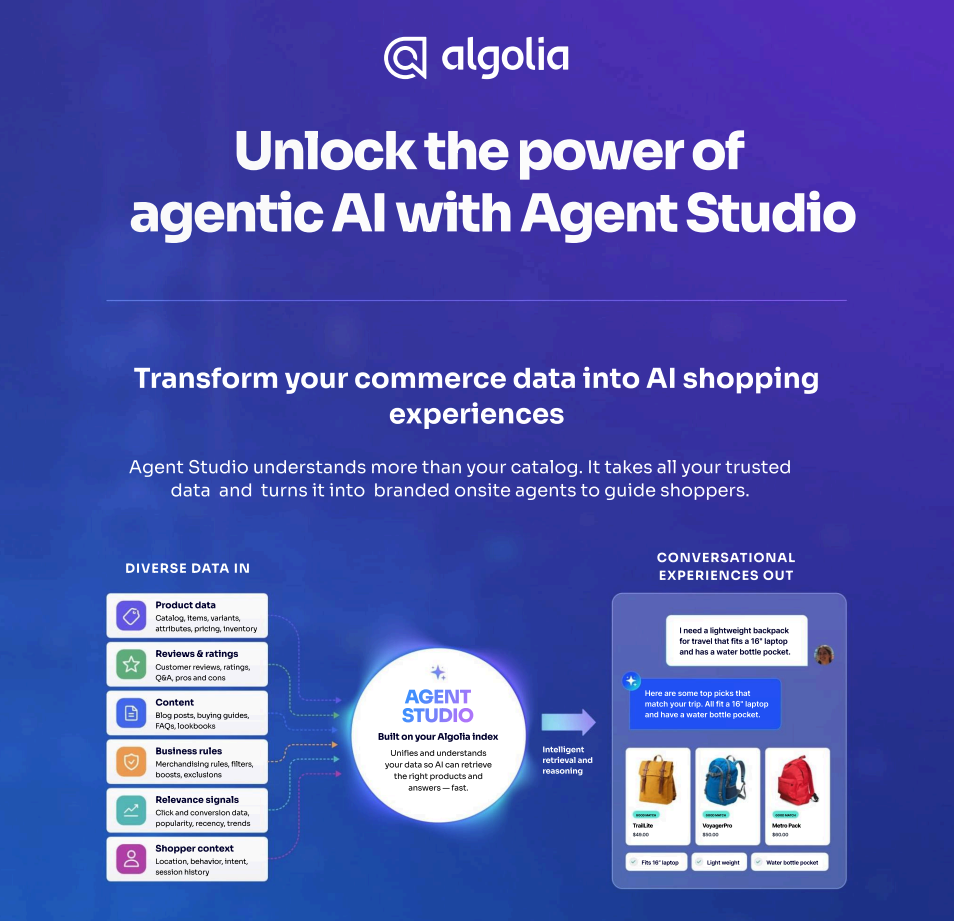
So is it possible? Can we really build strong, reliable, revenue-generating agentic search implementations? Yes! That's Algolia set out to do with Agent Studio, and their partners are building best-in-class commerce agents with it all the time. In this article, we’ll boil it down to three main principles that, when followed, inevitably produce stand-out agentic search.
Principle #1: Grounded, consistent retrieval
The Risk: Agents that fabricate plausible but non-existent results are revenue killers. They’ll drag your customers on, frustrate them, and make them leave almost immediately.
The Solution: Search-backed agents that strictly pull from a verified, real-time index in Algolia.
We can populate that index using data from wherever you’re currently storing it using the pre-built connectors or the customizable Ingestion API, so you don’t have to start thinking of Algolia as your database. In fact, you can give yourselves a leg up by transforming that data as it’s ingested into your Algolia index, cleaning and enriching it in ways that will benefit the retrieval engine. For example, you might have inventory information stored in a different system — as long as you’re make sure you don’t create duplicates by using your internal product IDs in the Algolia records, you can use Data Transformations or the indexing API to mark certain products in your index as low-stock or out-of-stock so Algolia adjusts its rankings accordingly.
When we actually build the agent, it needs to be grounded in that dataset. No making up products, no hallucinating availability, no assumptions or negotiations. Agent Studio is a toolkit that lets you build an LLM-driven agent that can make tool calls to query your dataset and whatever else you decide to allow it to do. All functionalities are opt-in, so you won’t find your agent going rogue and offering $1 Chevy Tahoes, no takesies-backsies. You’ll avoid all the inconsistency that kills shopper confidence.
This is also a situation where model performance becomes a business metric, because you have to be able to trust that the LLM will use this consistent access to factual data properly. As you can see on our interactive LLM leaderboard, different models have varying levels of 'intelligence' when it comes to tool-calling, extracting user intent, context-aware word choice, etc. And importantly, they’ll all come in at different token costs and response latencies, which the leaderboard helpfully tracks for you. Ultimately, grounding the LLM in a reliable dataset only works if the LLM reliably uses it.
The Takeaway: Agentic retrieval should be reliably boring. It should work plainly 100% of the time, so every response is grounded in truth.
Principle #2: Strategic customization
The Risk: Generic chatbots look and feel like every other AI tool and don’t distinguish your brand. Depending on your use case, they may have no context with which to assist your users meaningfully.
The Goal: A purpose-built UI where the agent mirrors your brand’s key differentiator and aesthetic.
To be clear, sometimes a chatbot is the UX design that’s necessary for your use case. We’ve seen a lot of those here at Algolia, and it’s a big part of why we released the InstantSearch Chat component. However, it’s not the right format for every use case, and treating it as if it was the standard is a straight path to bad UX. For each function which we’d like an agent to help automate, consider carefully which format would best represent the brand and make the user feel assisted.
For example: imagine a community-driven recipes website. We might be storing a wealth of information about ingredients that work well together, what amounts of different ingredients create the textures we need, and the techniques and cooking times and methods which create delicious results. But what if a user on a recipe page…
…doesn’t have all the suggested ingredients, or
needs a hands-off version that lets them do chores during some of the cooking time, or
wants to cook several recipes simultaneously to make a full meal?
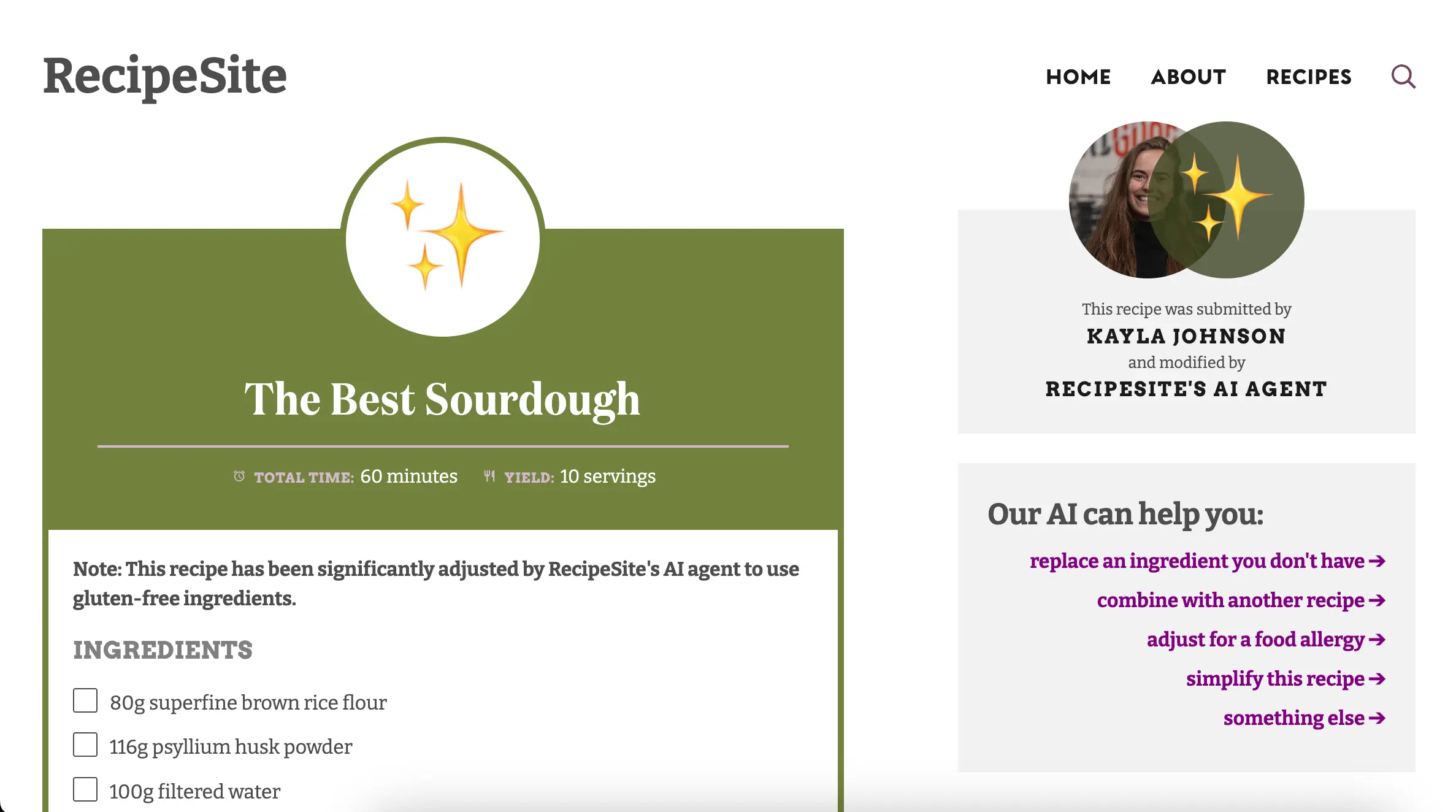
In these circumstances, our user might legitimately benefit from an agent with full access to our recipe catalog. But is a chatbot the right format? Maybe. Let’s suggest a different user flow. What if the recipe page looks something like this:
The right sidebar could stay sticky on the user’s screen regardless of how far down the post they scroll. With one click, the agent can respond with something more helpful than a simple chatbot. If the user chooses “adjust for a food allergy”, it might ask them what they’re allergic to, then modify the recipe appropriately, making sure it’s clear to the user what happened:
Notice that for honesty and great user experience, we changed the picture, added a notice, show the AI as a co-author of the recipe, and remove the reviews and ratings which apply to the original recipe. This can all be accomplished by an agent built with Agent Studio using tools to take actions exposed to it on the website, no chatbot interface needed.
The Takeaway: Agents can come in all shapes and sizes — choose a form and function that works best for your customers and best strengthens your brand.
Principle #3: Proactive timing
The Risk: Reactive agents that sit idle until a user manually clicks a "Help" button often stay idle because either users don’t want to talk to an AI or they just don’t know they’re misunderstanding how your app works.
The Goal: Context-aware agents that engage at the "moment of friction."
The key is to identify when a user needs help, and otherwise leave them alone. This is similar to how a great customer service representative might act in-store, approaching customers who look confused or bewildered while generally letting shoppers not in need of their help alone.
How might we identify when a user is stuck? Time spent on a page is one key. Here’s how we might tell how long the user has been on the page:
/**
 * Triggers specific functions based on time elapsed since page load.
 * @param {Object} schedule - Mapping of seconds (number) to functions.
 */
const startAgenticTimer = (schedule) => {
  // Capture the start time
  const startTime = Date.now();

  // Convert the object keys into an array of sorted milestones
  const milestones = Object.keys(schedule)
    .map(Number)
    .sort((a, b) => a - b);

  milestones.forEach((seconds) => {
    const delayMs = seconds * 1000;

    setTimeout(() => {
      // Execute the function mapped to this timeframe
      if (typeof schedule[seconds] === 'function') {
        schedule[seconds]();
      }
    }, delayMs);
  });
};

window.addEventListener("load", () => {
	startAgenticTimer({
	  5: () => console.log("Five seconds have elapsed!"),
	  300: () => {
	    // User has been on the page for 5 minutes
	    // Trigger the agent here
	  }
	});
});
This is just the start, though. A user might spend a significant time on a page just because they clicked to another tab, or they walked away from their computer. It would be an improvement to instead trigger the agent popup when several minutes have elapsed since page load, but there has never been 60 continuous seconds without a mouse movement or scroll. Then we’d be more confident that the user is in fact very interested in our product, perhaps reading through the description and reviews.
Right at that exact moment of friction, how can we use an agent to nudge the shopper across the finish line? Well, we could empower the agent to make limited offers based on the shopper’s preferences, the frequency with which they visit our site, how many other products they’ve looked at, how popular that product is among other users, how many items are left in stock, whether they’re reading the positive or negative reviews, etc. The technical way to accomplish this would be add a tool the agent can call which returns these metrics. We’d define it in Agent Studio and then pass a function that returns those metrics into the chat widget in InstantSearch (since this is legitimately a scenario where a chat window makes sense, as users may want to ask more free, unstructured questions).
This lets the agent decide what to do about it, within the guidelines we gave it in the prompt (i.e. “You may offer up to 20% off depending on what is needed to convince the shopper to buy.”). We might even give the agent another tool to call which generates the coupon code needed for the offer (by POSTing to a backend endpoint which enforces the constraints you put in the prompt, for safety), and applies the coupon code automatically.
The Takeaway: A great agent doesn't just answer questions; it anticipates needs. Timing is the difference between a helpful assistant and an annoying pop-up.
The principles at a glance
Poorly Designed Agent
Great Agentic Retrieval
Grounding
Fabricates "plausible" but wrong results
Deterministic; mirrors the search index
Customization
Generic UI that doesn’t attract or assist users as much as it could
Brand-aligned and purpose-built
Timing
Purely reactive, perceived as annoying rather than helpful
Proactive based on user behavior and revenue opportunities
Trust over autonomy
Great agentic search isn’t impressive because it’s autonomous. It’s impressive because it’s reliable.
Algolia’s Agent Studio gives you everything you need to build strong, reliable, revenue-generating AI agents that you can deploy easily, today. To get started, check out our Quickstart here!











.webp)



.jpg)




%20(2).svg)