A Git repository isn’t just code. It’s a shared home where hundreds of developers have lived, worked, argued, fixed bugs, reviewed each other’s work, and celebrated releases together. Some people stay for years, others only pass through with a single issue or pull request, but each of them leaves a mark somewhere in the history.
That’s what I wanted to explore when I started building Commitology, a search interface over the history of the algolia/instantsearch repository. Our InstantSearch.js library was a good dataset for this experiment: it’s open source, it has more than 10 years of activity, and it contains all the things that make a real repository feel alive: commits, pull requests, issues, comments, labels, bots, migrations, and a lot of maintenance work. It’s also a project I’ve known since its early days at Algolia, even if it’s now in much more capable hands.
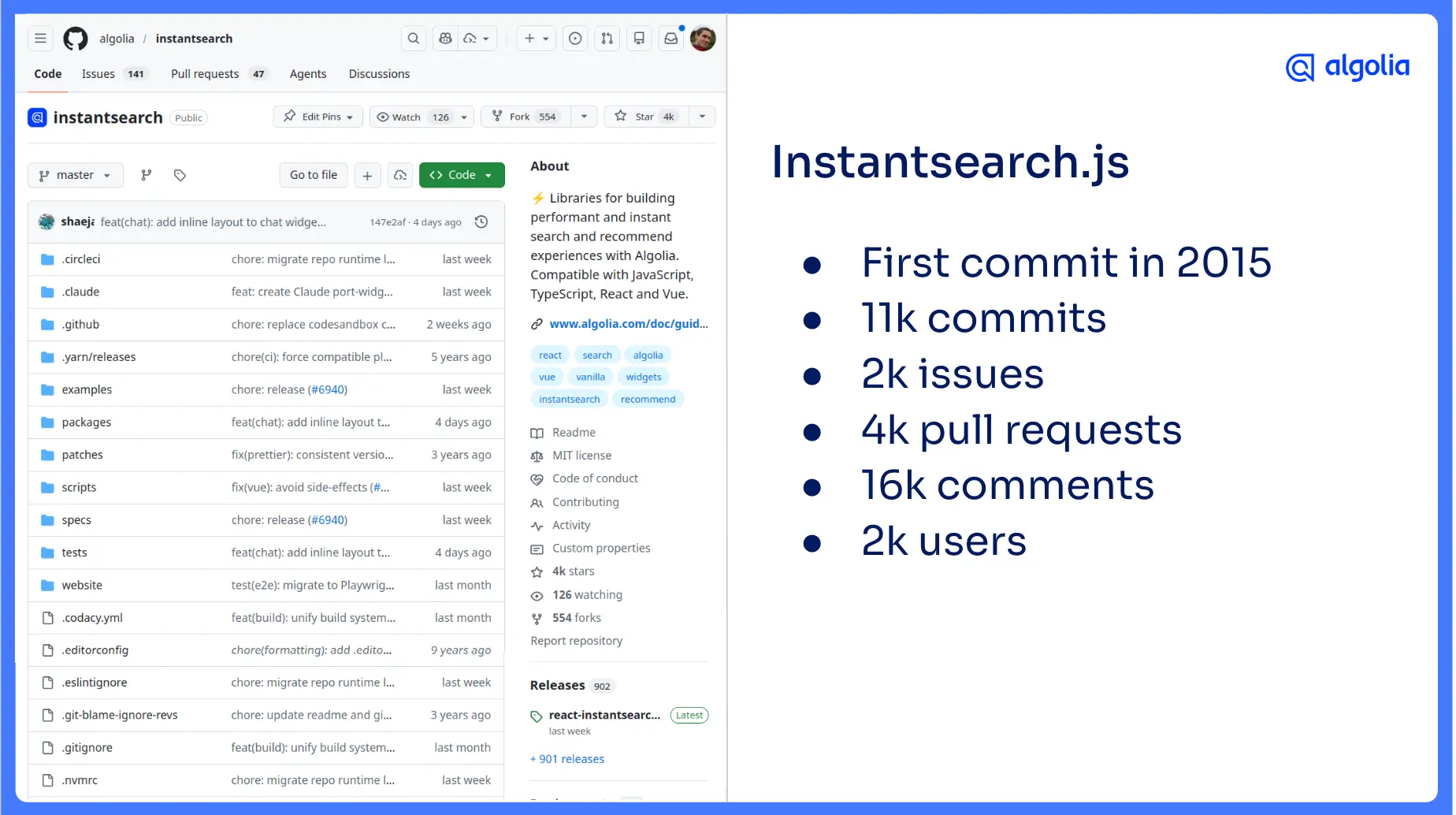

At first, I thought the interesting part would be the data itself. I wanted to collect everything from GitHub, index it, and see what memories or patterns would resurface. That did happen, but it wasn’t the most interesting part. The real lesson was that accurate data is not the same thing as a useful search experience. The data can be correct and still be noisy. The interface can be flexible and still be hard to use. And once you have a working search experience, the hard question becomes: what does this specific user actually need to see?
Searching InstantSearch with InstantSearch
I have a habit of turning datasets into search interfaces. Over the years, I’ve indexed Sherlock Holmes novels from Project Gutenberg, super-heroes from the Marvel API, TTRPG scenarios, Dungeons & Dragons monsters, Reddit photography posts, and even subtitles from one of my favorite TV shows so I could jump to the exact moment a sentence was spoken.
The pattern is usually the same. I find a dataset I already care about, turn it into JSON, push it to an index, and build a UI on top of it.
That's when I realized I didn’t know the data as well as I thought I did.
For this project, I used the public algolia/instantsearch GitHub repository as the dataset. There was something nicely recursive about using InstantSearch to search InstantSearch. The demo indexes several kinds of GitHub data: commits, pull requests, issues, and comments. Then it lets you search across them from one interface, filter by record type or user, sort results, and explore the history of the repository in a way that GitHub itself is not really optimized for.
You can try the demo at commitology.netlify.app, and the source is available on GitHub (frontend, data).
The pipeline: collection, normalization, display
When I started building search projects, I thought there were only two steps: get the data, then display the data. After doing this many times, I now think about it as three steps: collect, normalize, and display.
The collection step is where you fetch the raw data from the source. In this case, that was the GitHub API. The normalization step is where you transform that raw data into records that make sense for your search experience. The display step is where you build the frontend.
That middle step matters more than it seems. Collection is about preserving the source data. Display is about helping users explore it. Normalization is where the raw data becomes something your UI can actually use.
For Commitology, I kept those steps separate because I knew I would not get everything right on the first try (I never do). Search projects are iterative by nature, and keeping collection, normalization, and display apart made it much easier to change the schema, add fields, and rethink the interface without starting over.
Collection: copy the raw truth before shaping it
The collection phase was intentionally boring. I fetched data from the GitHub API and saved the raw responses locally. No transformation. No clever logic. No schema decisions. Just a programmatic copy and paste from the API to disk.
That might sound too simple, but it’s useful for two reasons. First, HTTP is slow compared with local file access. Second, APIs have rate limits. If every schema change requires you to hit the API again, iteration becomes painful very quickly. By saving the raw data locally, I could run the collection step once, then rerun normalization as often as I needed.
For rate limiting, I used a JavaScript package called Bottleneck. Instead of scattering setTimeout calls or sleep logic throughout the code, I could define the rate limit once and let the library space out the requests. The collection script stayed simple, and I didn’t have to think about accidentally hammering the API.
The main lesson from this phase is to collect the data as faithfully as possible before deciding what it means. You can always shape data later. It’s much harder to recover context you threw away too early.
Normalization: where the search experience starts
Normalization is where the project became interesting. Raw API responses are shaped for the API, not for your search UI. For Commitology, I wanted commits, pull requests, issues, and comments to live together in one search experience, which meant each record needed some shared structure.
Every record needed a type, such as commit, pull_request, issue, or comment. It also needed a date, searchable text fields, user information, and a few counters for things like comments and reactions. Then each type could have its own specific metadata. A pull request could have a number, a state, labels, reactions, and diff information. A commit could have files changed, additions, and deletions. A comment might not have a title at all or a commit might not have a body. The shared structure made the global search possible, while the type-specific fields made the results useful.
This is the kind of work that seems simple, until you realize there are a lot of little tweaks and edge-cases to handle. A date string becomes a timestamp. A URL gets parsed so you can extract an ID. A GitHub user gets normalized into a smaller object with a login, ID, and a flag for whether the user is a bot. Then you realize that some accounts are technically users but historically acted like bots, so the raw GitHub type is not enough.
That’s why I don’t think of normalization as only data cleanup. It’s product thinking. Every field you normalize is a small bet about what the interface may need later.
The first version worked. Then the real work started.
Once I had the full pipeline running, I had a working V1. Data came from GitHub. Normalized records went into Algolia. The frontend displayed results. I could search for something like “TypeScript”, filter to pull requests, sort from oldest to newest, and explore the early stages of the InstantSearch TypeScript migration.
That was satisfying, but it was also the beginning of the real work. After V1, I entered what I started calling WDD, or widget-driven development. I would look at the interface and ask: what if I displayed this field? What if users could filter on it? What if users could sort by it?

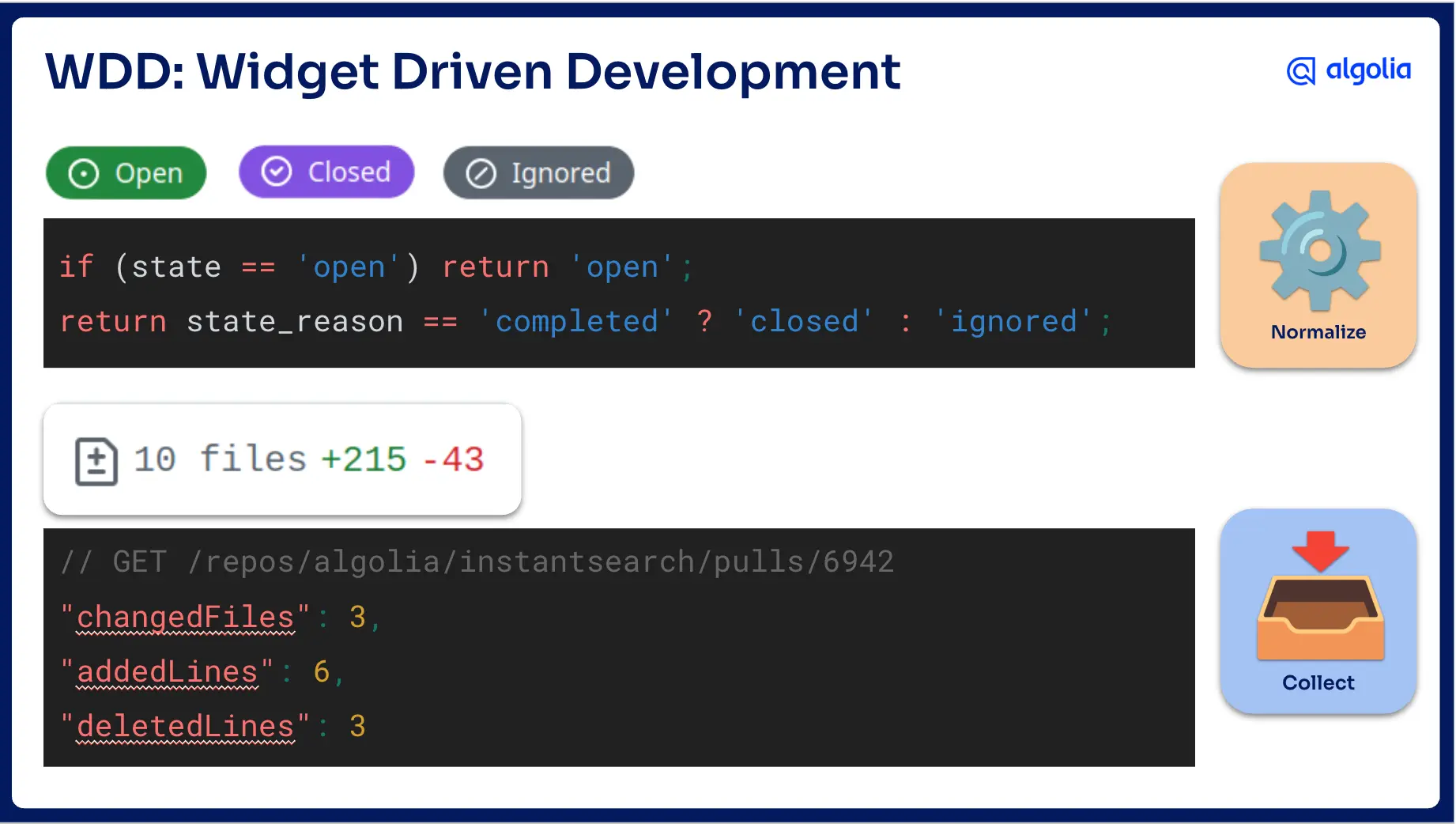
Those questions often sent me back to normalization. Sometimes they sent me all the way back to the collection.
One example was issue state. In the GitHub API, an issue can be open or closed. That’s technically true, but it wasn’t expressive enough for the experience I wanted. From a search user’s perspective, there is a difference between an issue that was closed because it was fixed and an issue that was closed because it was not relevant, not planned, or never going to be fixed. For the UI, “closed” was not always enough, so I needed a more useful state model.
Another example was diff information. I wanted to show how many files changed, how many lines were added, and how many lines were deleted for commits and pull requests. That information was not part of the data I had collected initially. To get it, I had to go back to the collection phase, call another endpoint, save the data locally, then normalize again.
This is why separating collection and normalization is so important. Most interface changes require schema changes. Some schema changes require new source data. If those steps are tangled together, every iteration feels more expensive than it should.
Making the interface feel familiar
For the display phase, I wanted the interface to feel familiar to developers. Because the dataset came from GitHub, I didn’t want to invent a completely new visual language. I wanted people to feel like they already understood the page before they started using it.
I built the frontend with InstantSearch, using the Vue flavor because I like Vue, and borrowed heavily from GitHub’s interaction patterns and visual conventions. I also used GitHub Primer as my source of truth for spacing, colors, responsive behavior, and component choices.
The goal was not to clone GitHub for the sake of cloning GitHub. The goal was to reduce friction. When you build search over unfamiliar data, the interface has to teach people what they can do. But when you build search over familiar data, the interface should mostly get out of the way. Developers already know what issues, pull requests, commits, labels, and comments are. The UI should let them use that existing knowledge.
That helped the first version feel natural. It also exposed the biggest problem with the project.
Accurate data can still create a noisy experience
The data was real, and that was the problem.
The search results included bot comments, dependency update commits, draft pull requests, and all kinds of maintenance activity. None of it was wrong. It was all part of the repository history. But did users really need to see it?
This is where the project stopped being only an indexing problem and became a UX problem. I could hide noisy records by default, which would make the experience cleaner, but it felt like I would be lying about the data. The repository really did contain those bot comments and dependency updates. Hiding them too aggressively would make the interface dishonest.
I could add more filters, which would keep the data accurate and give users more control, but it would also make the interface more complex. Every filter adds a decision. Every decision adds friction. Or I could leave everything visible, which would preserve the raw truth of the repository but make the search experience worse.
This is the part of search design that is easy to underestimate. Any search engine can retrieve matching records, but great search design decides what kind of control, defaults, and context make those records useful. The right answer depends on the user.
Developers do not always want magic
For this project, my users were developers, and that changed the design space. We, developers are comfortable with structured data. We understand filters. We know what JSON looks like. We are used to inspecting state, changing parameters, and seeing what happens.
That made me think differently about the noise problem. A typical product interface might hide complexity behind simpler controls, but for us, hiding too much could make the experience worse. We, developers, prefer transparency over magic.
I didn’t want to add a full chatbot that would replace the search UI. The UI was already good at showing results. It had highlighting, filters, sorting, and a layout that matched the GitHub mental model. If an AI assistant answered in text, it would actually remove users from the interface that was best suited to the data.
What I wanted was smaller and more inspectable: help translating intent into search configuration.
Advanced mode: AI as a translator
That led me to build an advanced mode. In advanced mode, users can see the current state of the search: the query, filters, index, hits per page, and other parameters. When the query changes, the state updates. When the state changes, the UI updates.
That alone was useful because it exposed the machinery behind the interface. Then I added an agent using Algolia Agent Studio. The agent did not search the repository directly, and it did not replace the UI. It acted as a translator.
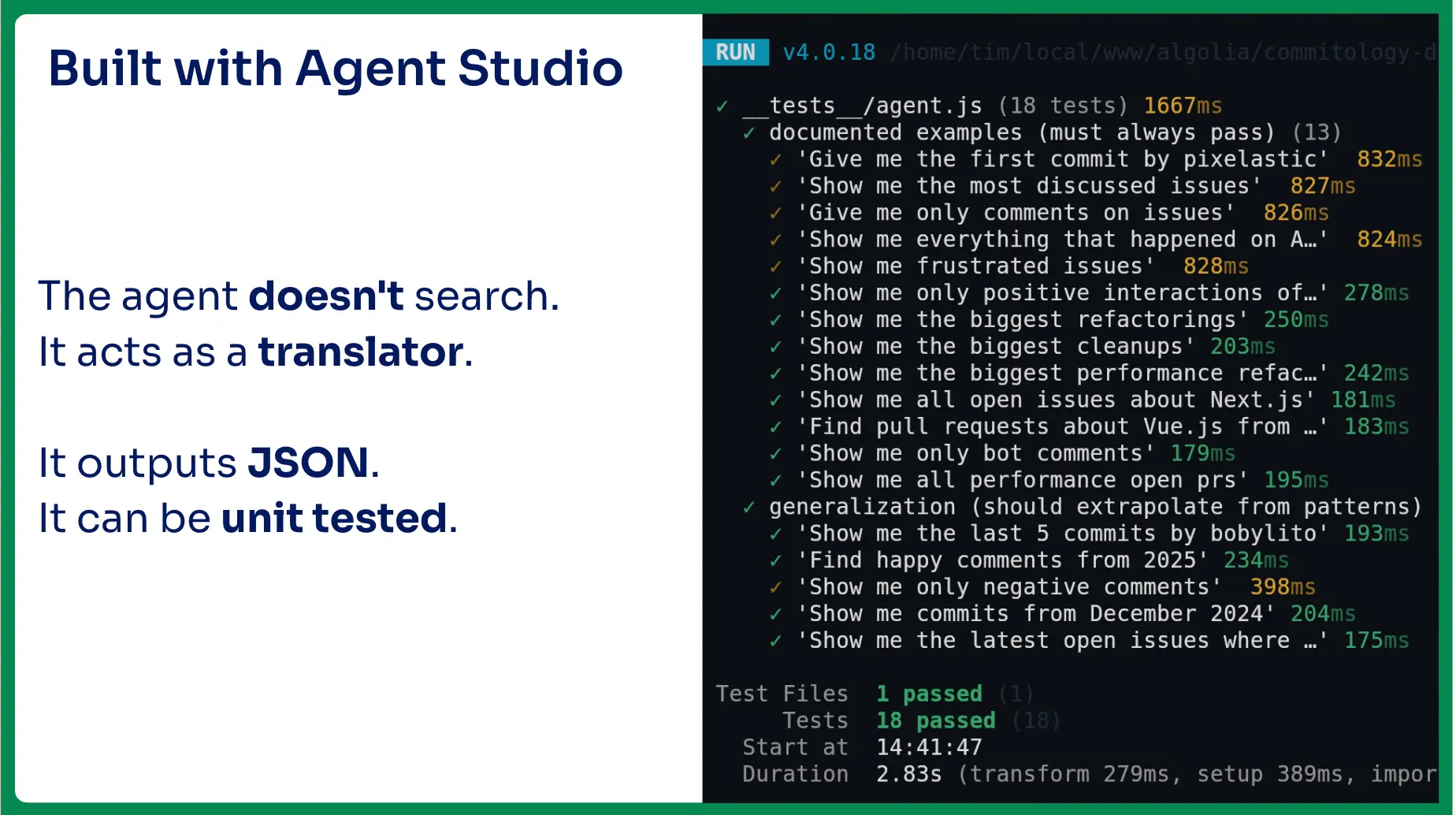

For example, I could ask it to show me everything except bot comments and draft pull requests. The agent would translate that request into filters and configuration. Those filters would update the visible search state, and the search UI would show the results.
That distinction matters. The AI was not the destination; it was a way to operate the controls. Users could inspect what it produced, edit the filters manually, use autocomplete to discover available options, and combine natural language with direct control.
As a developer, that felt like the right balance. It was less limited than a dedicated widget, less intimidating than writing every filter by hand, and less magical than a chatbot that hides the query and returns a text answer. The interface stayed in charge of the results. The AI helped me express what I wanted.
Making the agent testable
One useful side effect of this design was that the agent outputs JSON state. That made it testable.
I could write examples of requests I wanted the agent to support, then check whether the generated state matched what I expected. One example from the demo was a request like “give me the first commit by pixelastic.” I could iterate on the agent instructions until the output state matched the behavior I wanted.
That does not make AI deterministic, and it does not remove the need for review, but it does make the behavior easier to inspect. If AI changes the application state, make that state explicit. If the state is explicit, you can display it, edit it, and test it.
This is especially important in search. Users need to understand why they are seeing what they are seeing. If an assistant silently changes the query, filters, or ranking strategy, it may produce useful results, but it also makes the system harder to reason about. In this demo, transparency was part of the UX.
What this changed for me
I started this project expecting to rediscover interesting moments in the InstantSearch repository. I did find some of that. Searching old pull requests and commits is a strange kind of archaeology. You see migrations, experiments, old decisions, and names you have not thought about in years.
The data pipeline mattered. Collecting raw data, normalizing it carefully, and building a familiar interface were all necessary. But none of that automatically produced a great experience. The hard part came after the first version worked, when I had to decide what to do with noisy-but-accurate data, whether more filters would help or hurt, and how much complexity the interface should expose.
Because we are developers, the answer was not to hide all the complexity. It was to expose the right amount of it. We love to tweak knobs and edit state, so the best experience was not the simplest possible UI. It was a UI that made the underlying search state visible and gave us different ways to control it.
That’s the main thing I’ll take into my next search project. Don’t stop when the data is indexed. Don’t assume accurate data creates a good experience. And don’t design the same search interface for every audience.
The shape of the data, the schema and the widgets sure matters. But the user matters most.
If you’re interested to learn more about this project, you can watch my presentation from our recent Algolia DevBit conference below.










 Other Types

%20(2).svg)