-
-
-
-

GET STARTED

RESOURCES
-

INSPIRATION

LEARN
.webp)











Algolia Assist
How can I help you today?
I search through your content to help you find answers to your questions, fast.

Looking for our logo?
I search through your content to help you find answers to your questions, fast.

Listen to this blog as a podcast:
Estimated time to read: 4 minutes
On product release day, everybody’s happy. The customers are loving it, the devs are proud to have earned their pay, and the management is smiling as revenue skyrockets. The data is carefully structured and the search experience is top-notch.
Fast-forward a few weeks: The product catalog is growing, new data sources are added, and subtle inconsistencies are creeping in and making themselves obvious. Customers are confused because some product titles look weird, some categories are duplicates, and some fields are just showing “N/A”. The original devs are now on other projects. How can the non-technical team members deal with the data inconsistency without waiting for the developers? They know the changes that need to be made to improve the customer experience, but they don’t have the technical tools to make those changes.
That is, until now. This is exactly the problem we’re solving with No-Code and AI Data Transformations. These tools empower business users to manage the data in their search indexes regardless of technical ability.
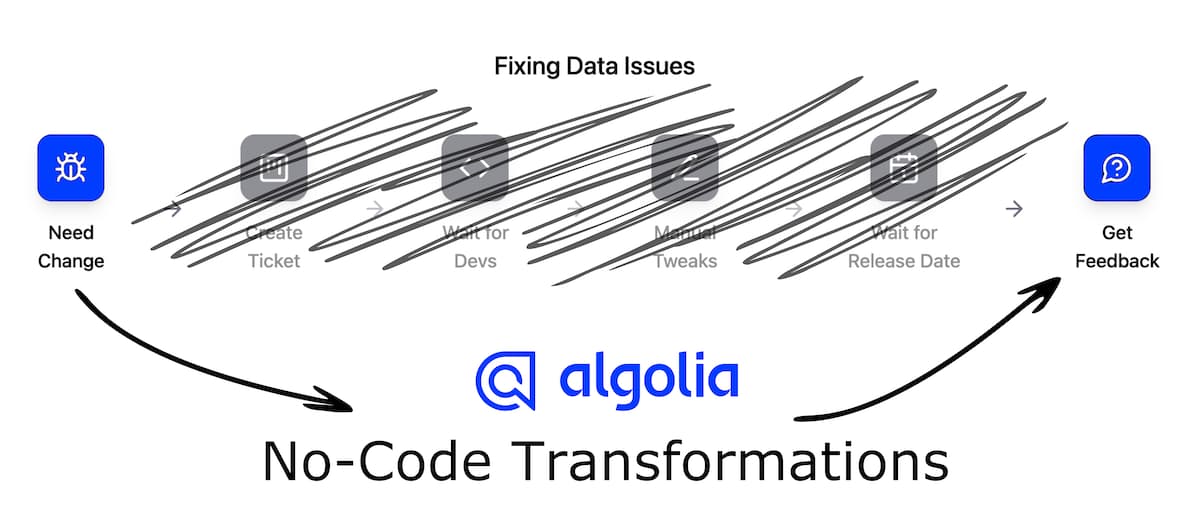
Take a look at how they work:
You can construct your No-Code Data Transformations with a form-based builder that gives you all the tools they need to clean, enrich, and shape data without writing code. Those operations (like adding attributes, merging records, etc) are represented as stackable building blocks that you can piece together like Lego to construct the entire transformation bit-by-bit. You can even set them to only run under certain conditions. Take a look:
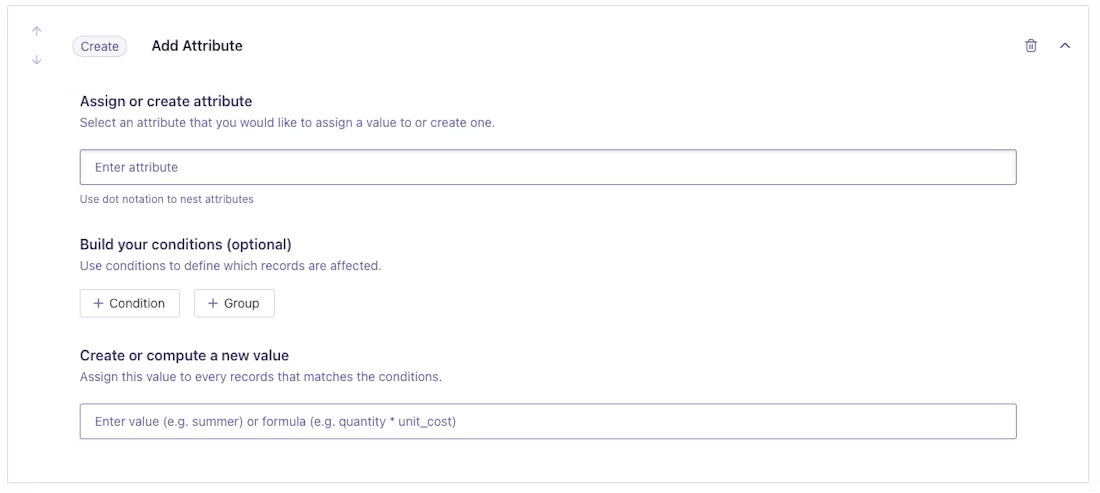
The Add Attribute step
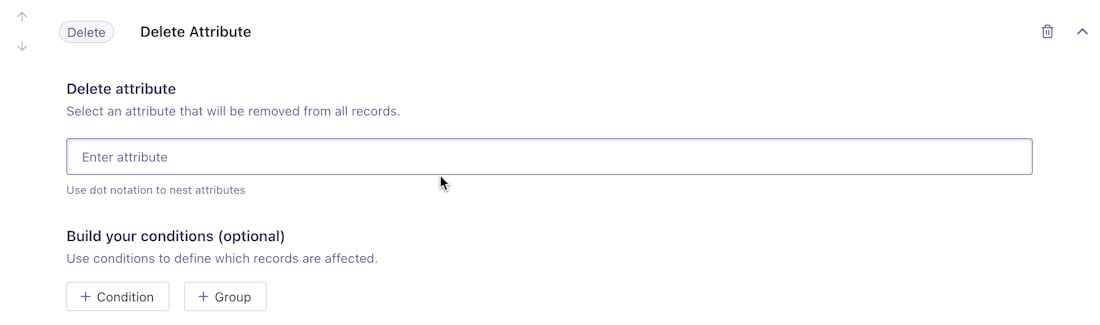
The Delete Attribute step

The Remove Records step
You get to choose which fields get edited and how, previewing everything in real-time before it is applied. No guessing, no wondering — you’ll leave the form page with confidence in what you built every time. It’s precise, so you don’t have to worry about it acting unpredictably later.
This approach makes it realistic for any non-technical team member — merchandisers, content managers, or product owners — to handle ongoing data preparation themselves, reducing bottlenecks and support requests. This bolsters trust and cooperation in the whole organization, since the responsibilities of each team member blur together more.
Imagine your index was being fed by multiple data sources that just can’t seem to agree on standardized facet and category names — one source’s colors are simple like “blue” and “red”, while the other source uses brand-specific shades like “Sky Blue” and “Sangria”. Maybe the values for these products are entered in local currencies and languages, so we need to convert pesos to dollars and Spanish to English. These situations used to require technical expertise, but now every member of the team can fix these problems by themselves.
The key benefits make it worth adopting:
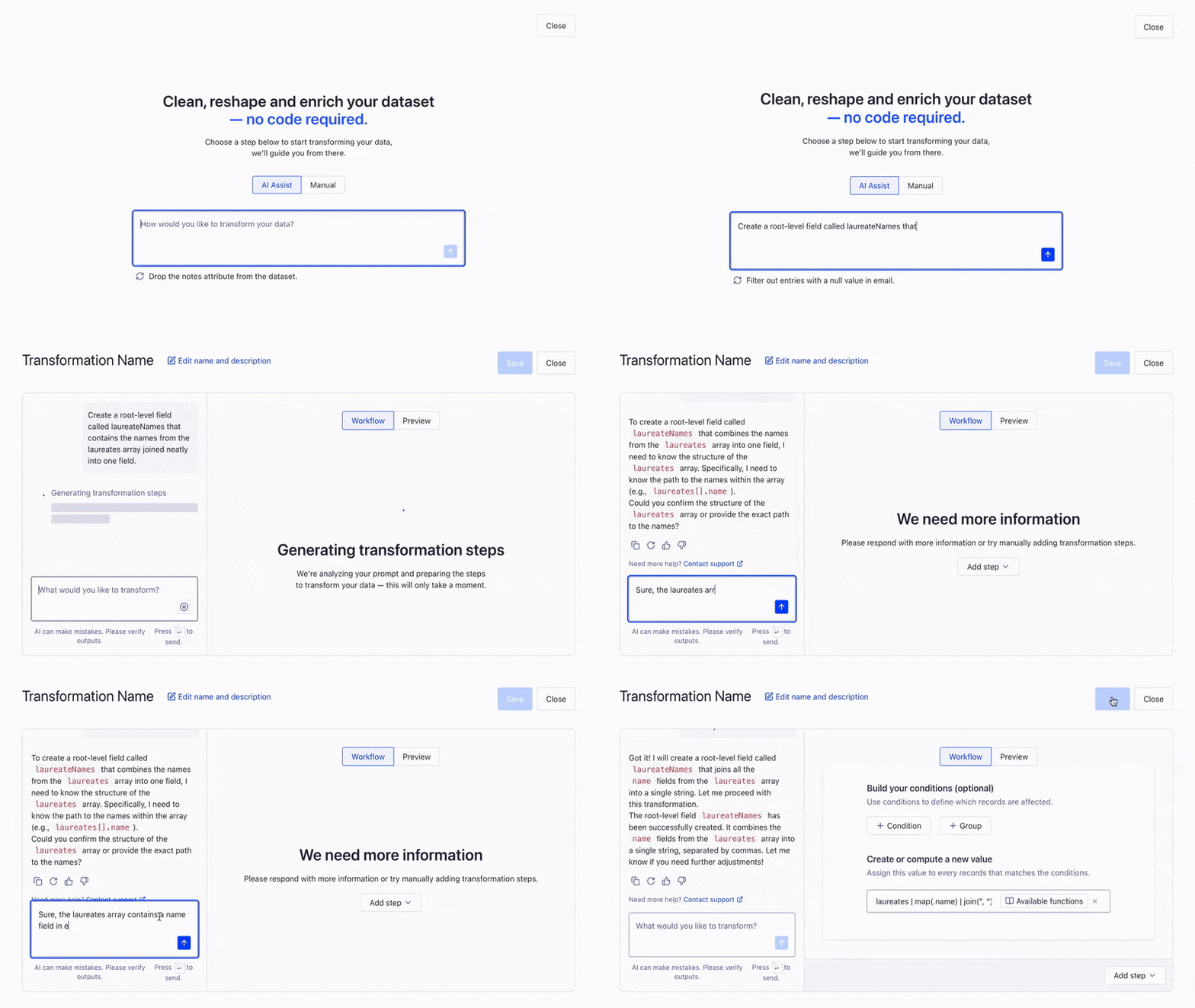
An AI Data Transformation coalescing the names of the Nobel laureates into a root level field
To make this even easier, you can describe what transformation you’d like and let Algolia AI fill out the form for you. It understands what you mean, without needing you to use search-specific technical jargon.
Try instructions like:
If you ask the agent to create a new special_offer attribute that contains the normal price but with a 25% discount, plus delete any inventory information since that’s still in our CMS but won’t get displayed to the user, here’s the flow it generates:
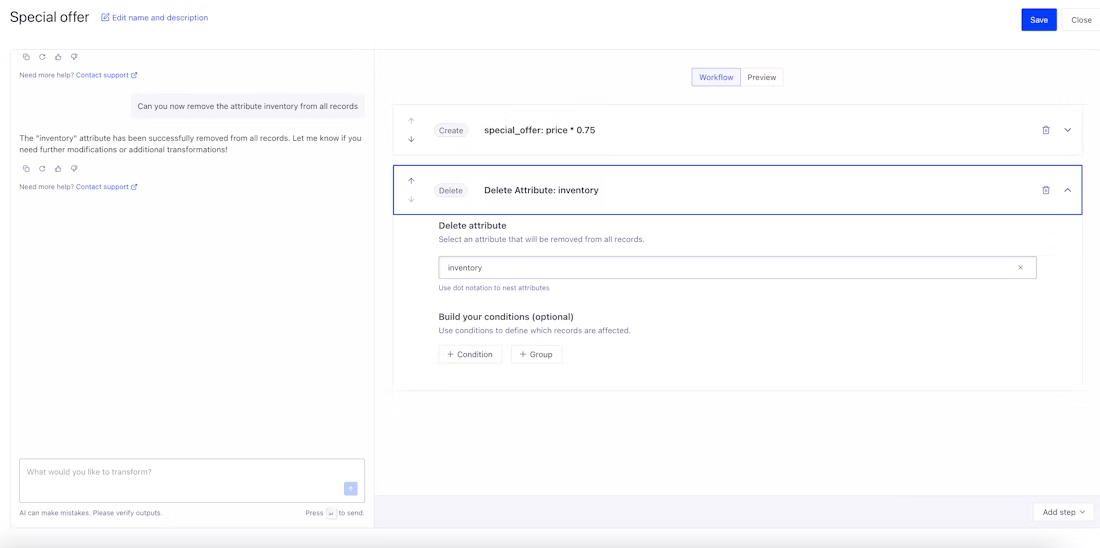
A generated Data Transformation that adds a special_offer attribute and deletes inventory data that isn’t for display
The AI builder makes the process even faster, and you don’t even have to give up on precision. Since it fills in the form for you, you can easily edit the generated steps yourself, or just converse with the AI further and explain what you want it to change! This speeds everything up if you already know what you want, but it can also help you figure it out through conversational discovery if you’re not sure how to accomplish the transformation you’re imagining.
Search quality shouldn’t fade after launch day. With these new No-Code and AI Data Transformation tools, your data stays as sharp and structured as it was on day one, all without any bottlenecks. Great search starts with great data, and now you don’t need to have years of technical experience to control the data yourself.
Want to get started? Both of these features are available right now when you sign up for a free Algolia plan.
Powered by Algolia AI Recommendations

%20(2).svg)