The startup founder’s no-nonsense guide to AI-powered search
Listen to this blog as a podcast:
Putting search in your app is like startup quicksand — it’s very easy to get so bogged down that you stop moving forward. As your project matures and your dataset scales, users demand more than a simple query box — they expect real-time speed, typo tolerance, advanced filters, and most of all, relevant results that seem to just understand what they’re looking for. Building all that kills your velocity and distracts from what you’re actually trying to accomplish: prove your startup idea and build your user base. This article shows you a better way: escape the quicksand by deploying search in minutes with Algolia.
If you’re just here for the 7-minute guide we promised, it’s right below. But first, why isn’t rolling your own search the ideal solution? Doesn’t that give you more control?
Why not roll your own?
Rolling your own search does give you more control but that comes at a heavy cost. Think through all you’d have to build to give your users a bare-minimum search experience, beyond the finicky exact keyword matches that a SQL LIKE '%query%' condition would give you:
Typo tolerance — Every possible query that’s only one or two character substitutions, additions, or deletions away should also be searched.
Filters — SQL can do this pretty well, but you’ll have to handle the logic of letting users create conditions without creating SQL injection vulnerabilities.
Autocomplete — Your users are accustomed to getting their queries finished for them, which requires maintaining a separate database of potential queries and searching through that too.
Analytics — You’ll never know if your search implementation is working as you want it to if you don’t keep track of the numbers. Platforms like Algolia have the analytics baked in.
User interface — You’ll have to design your own frontend components, since you’re not working with a library that gives you all of that for free.
Vector similarity — To match semantically similar results (instead of just results that exactly contain the query), we have to vectorize our queries and potential results and do the math to find the matches.
Building all of that to even a decent quality would be an incredibly expensive and time-consuming task. It takes significant infrastructure, optimized logic, and weeks of comprehensive testing to make something that feels nice to use from a UX standpoint. Each major feature of your search implementation has mini-milestones to hit, like tokenization and fallback logic. There are plenty of edge cases along the way that need to be handled, for example: What happens when there are no results? What happens when a user queries for a synonym of a word that actually appears in our results?
The lesson here? Search isn’t a feature — it’s a system. And it’s the wrong system to build yourself. Algolia gives you flexibility without costing you your momentum by handling all of this for free up to a million records. You can use your own stack, add just as much config as you’d like, piece together some prebuilt UI widgets, and call it a day.
The 7-minute guide
If you came here for the step-by-step guide, congrats! You’ve found what you were looking for 😉
Here are the three main steps, with a little extra explanation if you’d like to go down the rabbit hole:
Configure your index.
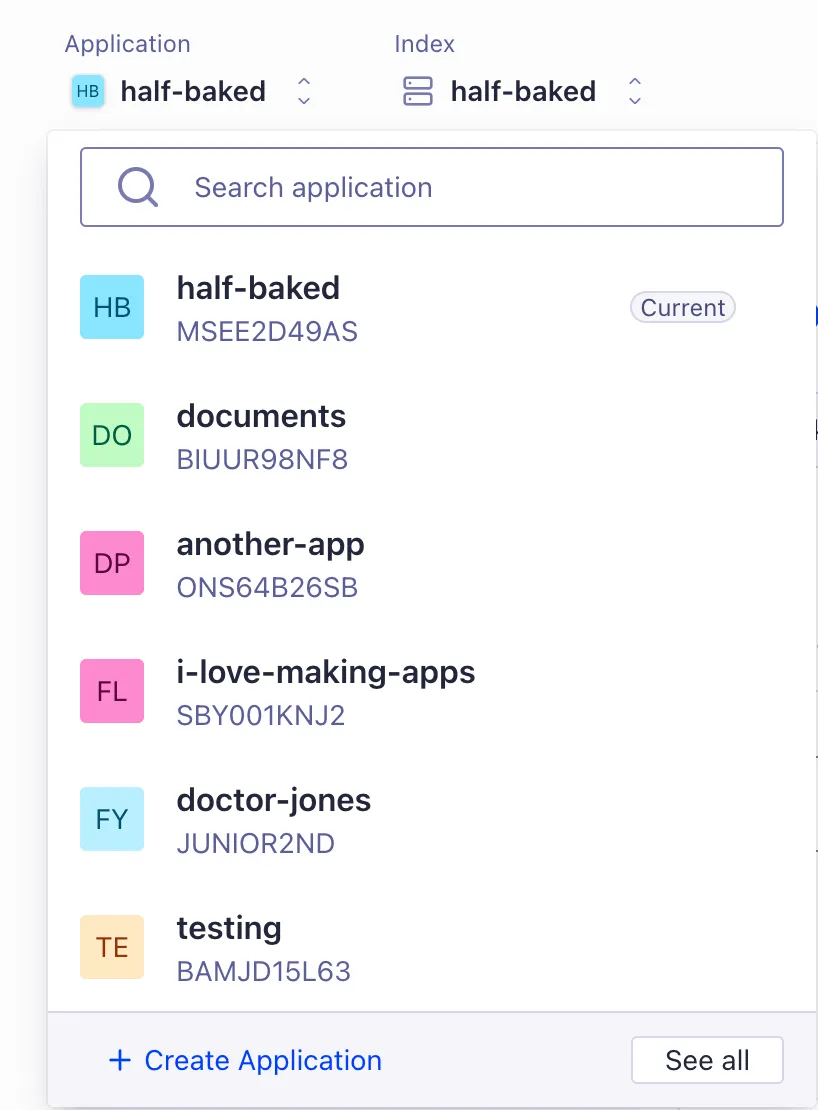
Sign up for an Algolia account, and you’ll be automatically walked through this process. But if you already have an account, the button to create a new application is in the Applications dropdown at the top of the screen.
In that process, you’ll be helped through creating an index in that application and even loading in your data, if you already have some. (More on that in a second). Under the Configuration tab in the index dashboard, there are all sorts of settings. They’re already set to sensible default values, so you’ll only really have to mess with them for unique projects. Here’s a rundown of the most commonly-used settings:
Searchable Attributes — An optional whitelist of the record attributes used for searching. If not set, Algolia will return records where any of their attributes matches the query. But with this setting, you can tell Algolia to return matches for only some of the attributes, or to set a priority order for the matched attributes.
Custom Ranking — A way to include the attributes that are fundamental to your business use case in the ranking formula. For example, if you’re making a movie database like IMDB, movies that are more popular are more likely to be what the user was searching for. If you have a popularity attribute on your records, it might make sense to tell Algolia to rank more popular movies near the top of the search results. In lieu of popularity, you could prioritize by starRating, boxOfficeDollars, releaseDate, or something else.
Personalization — A boolean indicating whether the search results are reranked according to the data you’ve given Algolia on particular users. For Algolia to pick up on user preferences, you need to (a) specify facets that users could have preferences for, and (b) tell Algolia whenever a user interacts with search results using Events.
Attributes for Faceting — A list of attributes used for faceting, that is, letting the users trim down search results by selecting from several meaningful values for a particular attribute. This is distinct from filtering, which may happen behind the scenes without the user seeing the logic. For example, setting the director attribute as a faceting attribute on our movies database would show the user some popular directors like Spielburg, Scorcese, or Hitchcock, and let the user optionally see only movies by that director.
Distinct — The number of results returned that share some given attribute. For example, when indexing your blog posts, you might want each subheading to have its own record in Algolia so that you can link from the search result directly to the subheading that the user was looking for. But in the search results, you might want each result to represent one whole article as the user probably expects. To do this, you would set distinct to true and set the distinct attribute to something each record from one article shares, like an articleID. (This is how Half Baked’s archive search works 😉)
Bring in the data.
Everybody knows the adage: garbage in, garbage out. Algolia does its best to work with anything, but complete, structured, detailed data is worth more than any AI in the world. On the other hand, if your data is too complete — as in, it contains way more data than is really needed for search — you’ll just slow everything down, create noise in the rankings, and make debugging a pain. Each record should contain a potential search result and whatever impacts search relevance; no more, no less.
In addition, there’s no joining tables like in traditional relational databases. Each index represents a big list of searchable things, so how you go about combining and flattening your data is important. If you’re working on a specific, complex use case, you’ll appreciate this guide.
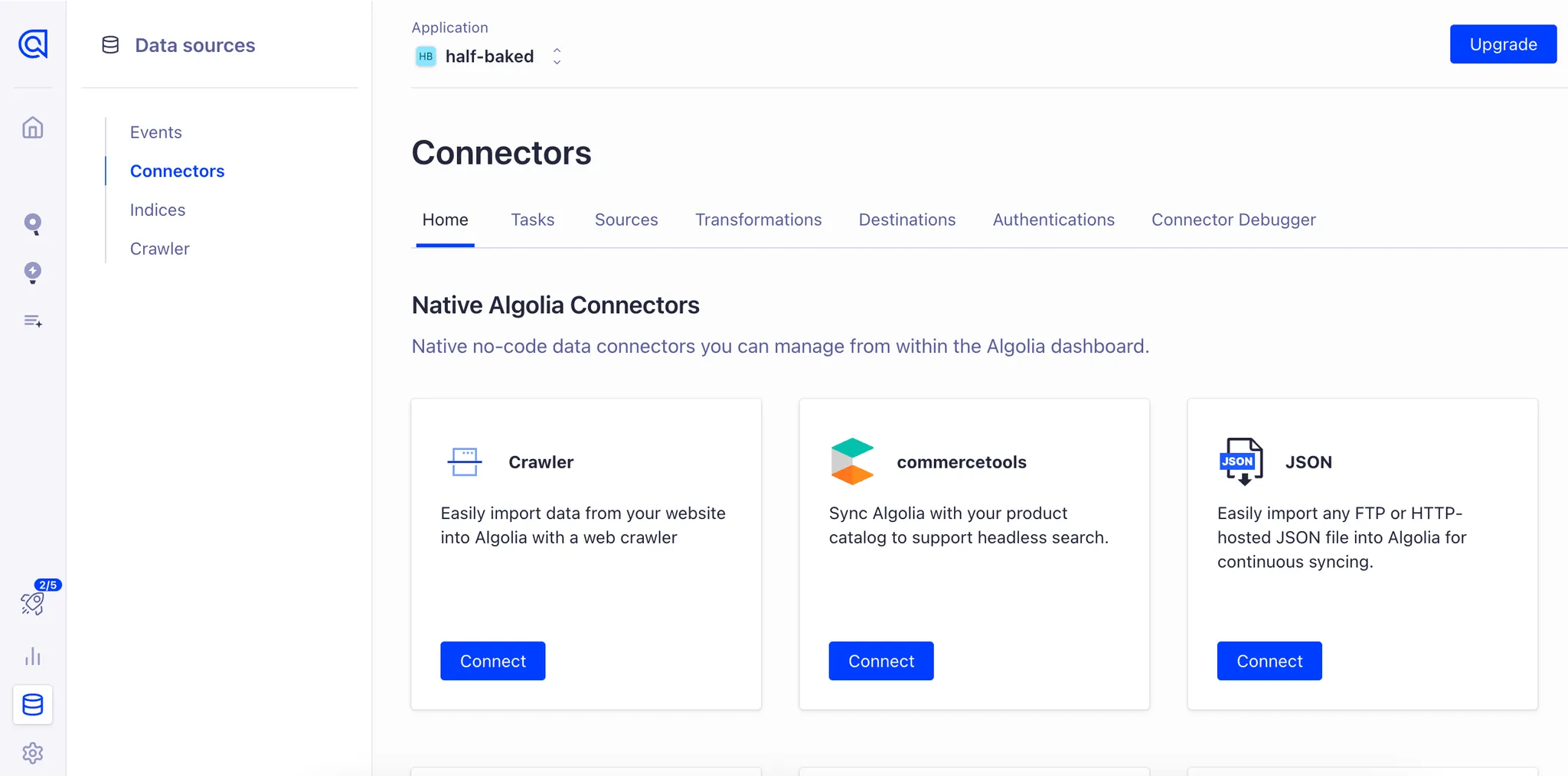
All that said, this part can be super easy. Chances are, you’re starting with your data already stored somewhere else, adequately prepped and structured. In that case, there’s likely a prebuilt connector that’ll automate this for you. Just click the Data Sources button at the bottom left of the dashboard, go to the Connectors tab, and look for your data source in there.
Build the UI.
This is what we built InstantSearch for. It’s a library of prebuilt components that just do what they say on the tin, and it’s available for use in vanilla JS, React, Vue, iOS, Android, and Flutter. If you’re searching through a somewhat common type of data (like blog posts or ecommerce product records), you’ll probably get 95% of the way there by copying one of our demos. Click this link to get to the JavaScript demo page, and you can change the library in the dropdown at the top right to get demos for other platform targets.
If you find yourself needing a more sophisticated search UI, we’ve got you covered. Not only do you have all the many prebuilt components available to you, but you can also easily create your own components by writing custom markup and logic around core InstantSearch functionality. That requires a little more research and testing, but if the core of your product involves search, that extra touch is what could take the user experience from average to astounding.
There’s your overview of the power and flexibility of an Algolia search implementation! As a recap, here are the exact steps to put search on your site in 7 minutes:
Create an application and index in the Algolia dashboard.
Fill your index with structured, consistent data that has only the detail needed for searching.
Use demo code and prebuilt or custom components from InstantSearch to build a UI.
If you’re using a connector that keeps your data updated or your code is sending updates to Algolia’s servers, you should never have to touch this again. In all likelihood, search will become a solved problem for you — and if in the future, it aligns with your business goals to make something truly spectacular with search, Algolia gives you all the tools you need to get it done right.
Startups that chose… wisely
You’re not the only founder who’s had to weigh these options, so why not see how it worked out for those who came before?
Fern
Developer-first platform delivering API docs and SDKs to ~150+ documentation sites globally.
Multi-tenant InstantSearch (doc search) with typo tolerance, secured API keys, headless UI, and minimal maintenance.
Handled ~1000× traffic growth over two years with zero downtime; integration took less than a week; developers no longer worry about search scaling.
“The startup program made it a no‑brainer to start building on Algolia from day one.” — Danny Sheridan, CEO of Fern
French startup connecting 16- to 30-year-olds across Europe to jobs, internships, scholarships, and career events—multilingual by necessity.
Fully replaced Elasticsearch with Algolia Search across front-end and back-office tools to support multilingual job/resource discovery.
Sharp drop in latency, improved relevance, increased user engagement; freed developers from maintaining search infrastructure; enabled faster product innovation.
“A couple of weeks after we installed Algolia Search, the site exploded with traffic. It was a dramatic shift.” — Rémi Alvado, CTO of Wizbii
Online eyewear retailer delivering affordable prescription glasses globally with ~20,000 frames sold per day.
Consolidated two legacy systems into Algolia AI Search, powering both browse and search with advanced filters, AI synonyms, and vector enhancements.
Within ~2 months: search traffic up 44%, search revenue up 34%, revenue per session +27%, conversion rate +9%, and average order value +16%.
“Once we went into full production with Algolia, we saw Zenni’s search revenue increase by 34%. Equally importantly, our average order value … grew by 16% with a 9% uptick in conversion rates.” — David Ting, CTO & GM at Zenni Optical
U.S.-based nonprofit matching public school teachers with donors to fund classroom project requests.
Unified InstantSearch-powered shop and product discovery experience: serves ~580k indexed products across ~1M SKUs, supports ranking rules, analytics, and future AI-based re-ranking.
New-teacher project submission rate rose from 37% to 48% (30% YoY increase); development focus shifted off UI and search, reducing support volume and freeing engineers for core features.
“Algolia made the development process easier and made it so that we could actually launch this product ... our engineers like working with Algolia, which makes a big difference.” — Burke (lead engineer), DonorsChoose
Our advice for founders — find your differentiator
A differentiator is “a quality or feature that makes something different from, and usually better than, other similar things”. If you want your startup to succeed, you’ll need to figure out what that is for you. There are a functionally infinite amount of projects being built out in the wild; why is yours different?
Once you know your differentiator, setting priorities becomes a lot easier. All the other things you have to do to get your project functioning become boilerplate, tasks worth passing off to people who have made those things their differentiator. That’s our pitch here at Algolia: back in 2012, we built this startup and made search our differentiator. That’s what we’re good at, so let us take that off your plate so you can focus on building your thing. A business that successfully convinces potential customers of their differentiator is a business primed for success.
We’ll even give you a head start: apply for our startup program to get a free $10k in credits for resource-intensive projects. And we’d love to see what you’re building, so come chat with us on our community discord.


.webp)



.jpg)














%20(2).svg)